Wednesday, 1 January 2014

Weaphones™ Firearms Sim Vol 2 v1.1.0 APK

 
 Weaphones: Firearms Sim Vol 2play.google.com.weaphonesvol2
Continuing our tradition of blending realism with fun, Volume 2 features all new weapons, from a machine pistol to a fully automatic shotgun. Experience how these weapons operate, with realistic reloading, chambering and stoppages.

Don’t just play the game, grab your device and it becomes a digital weapon, all the important controls are within a finger’s reach. Leverage the power of the built in accelerometer and flash capabilities for a more genuine experience. Become a sniper as you chamber that massive .50 caliber round or imagine yourself as Rambo hip firing the 60.

For the price of less than one 12 Gauge slug you get everything. No up-sells or in-app-purchases, just pure, safe fun and free weapon pack updates.
  • Realistic Fire, Sound, Smoke, Flash & Recoil Effects
  • Full Interaction and Control
  • Authentic Weapon Mechanics
  • Accessories & Paint Options
  • No Up-Sells or Upgrades, You Get Everything & Free Updates
  • Detailed Full HD Graphics
  • 100% Customizable to Fit User’s Hand Size and Preference
    • Lefty Flip
    • Rotate 180°
    • Scale
    • Location
  • User Adjustable Variables
    • Unlimited Ammo
    • Auto Reload 
    • Weapon Jamming/Overheating
    • Accelerometer Reloading
    • Camera Flash Shooting
  • Weapon State Indicator (“Why Am I Not Shooting”)
  • Ultra Detailed Step-By-Step Animated Tutorial for Each Weaphone
  • Multi-Touch, Accelerometer & Camera Flash Support
  • Social Media Driven Future Content
Features:
  • SMG: » Trigger » Charging Handle » Magazine Release » Fire Selector » Bolt Lock/Release » Magazine » Folding Stock » Suppressor
  • ASSAULT RIFLE: » Trigger » Charging Handle » Magazine Release » Fire Selector » Safety » Bolt Lock/Release » Magazine » Dust Cover » Bipod
  • MARKSMAN RIFLE: » Trigger » Charging Handle » Magazine Release » Fire Selector » Safety » Bolt Lock/Release » Magazine » Suppressor » Bipod
  • LIGHT MACHINE GUN: » Trigger » Magazine » Charging Handle » Safety » Receiver Cover » Belt Ammunition » Flip-up Sight » Carry Handle » Bipod
  • SNIPER RIFLE: » Trigger » Charging Handle » Safety Lever » Magazine Release » Magazine » Carry Handle » Bipod
  • SHOTGUN: » Trigger » Charging Handle » Safety » Magazine Release » Magazine
What's new in this version : (Updated : Dec 28, 2013)
  • NEW Semi-Automatic Pistol
    • Customizable Grips
    • Optional Flashlight
    • Super Slow Motion Option
    • Watch it Cycle From 10x to 100x Slower
  • Fixed a Bug Where Accessories Turned on One Weapon Would Also Activate on Others
  • Fixed a Bug Where Full Rounds Would Eject Instead of Spent
  • Many More Bug Fixes and Improvements Thanks for the Feedback
Required Android O/S : 2.2+

Screenshots :

Weaphones: Firearms Sim Vol 2 v1.0.0 APK

Weaphones: Firearms Sim Vol 2 v1.0.0 APK

Weaphones: Firearms Sim Vol 2 v1.0.0 APK

Weaphones: Firearms Sim Vol 2 v1.0.0 APK

Weaphones: Firearms Sim Vol 2 v1.0.0 APK


Download : 19Mb APK

MX Player Pro v1.7.22 APK

 
 MX Player Pro play.google.com.videoplayer.pro
MULTI-CORE DECODING - MX Video Player is the first Android video player that performs multi-core decoding. According to the test results on dual-core devices, it shows up to 70% performance improvement than single-core devices.

CPU OPTIMIZATION - Provides highly optimized CODECs and Rendering Engines for the processors including ARM® NEON™ and NVIDIA® Tegra™ 2.

MULTI-TOUCH VIDEO ZOOM CONTROL - Zoom while playing your video in and out using multi-touch gestures.

SUBTITLE SCROLL - Scroll on subtitle text and playback position will be adjusted to match previous or next subtitle timing.

BETTER SUBTITLE READABILITY - Increased subtitle readability with thicker border and shadow around text.

FULL HONEYCOMB SUPPORT

Supported File Types :
  • SubRip(.srt) 
  • Sub Station Alpha(.ssa/.ass) 
  • MicroDVD(.sub/.txt) 
  • SubViewer2.0(.sub) 
  • SAMI(.smi/.sami) 
  • MPL2(.mpl/.txt) 
  • PowerDivX(.psb/.txt) 
  • TMPlayer(.txt) 
  • Matroska (.mkv) Subtitle Track. (text, ass/ssa only) 
What's in this version : (Updated : Dec 30, 2013)
  • Fixed volume/brightness swiping error when headset is connected on Android 4.4 devices.
  • Fixed HW+ decoder crash on some HTC 4.3/4.4 devices.
  • Fixed audio disappearing error for some iptv/mts videos.
  • Added an option to pause playback if playback window is obscured by another window.
  • Added full screen option for 4.3/4.4 devices having software navigation buttons.
  • Fixed not loading proper subtitles matching current system language. (Only if subtitle contains language information.)
Required Android O/S : 2.1+

Screenshots :
 

Download :  7Mb APK

MyBackup Pro v4.0.3 APK

 
MyBackup Pro play.google.com.MyBackupPro
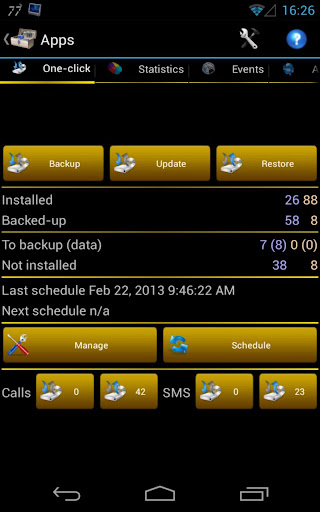
Backup (with schedule option) to our online secure servers, or SD card, your Applications, Photos, Contacts, Call log, Browser Bookmarks, SMS (text messages), MMS (message attachments), Calendar, System Settings, Home Screens (including shortcut positions), Alarms, Dictionary, Music Playlists, and more...

MyBackup Pro is the easiest backup for Android. Supporting the most content, and the most Android devices.
Restore your backups on your existing or new phone.
View your data and application backups online, by logging into the Web Viewer at www.RerWare.com
MyBackup Pro will work on all Android mobile devices, regardless if they have root access or not.
Users who have a rooted phone: You can backup apk+data as well as market links!

NOTE: Data/setting of applications can only be supported if you have a rooted phone, or if the application integrates with us.

Features:
  • Freeze bloatware, system apps 
  • UnFreeze frozen applications 
  • Wipe Cache of applications 
  • Wipe Data of applications 
  • Uninstall applications 
  • Break the Android Market Link to Apps 
  • Link Apps to the Android Market 
  • Force Close applications 
What's in this version: (Updated : Dec 31, 2013)
  • Added ability to buy subs using Android In-App billing.
  • Added ability to buy subs using Google Wallet.
  • Remote backup fix.- Added USB Storage option..
Required Android O/S : 1.5+

Screenshots :
xxxxxxxxxxxxxxxxxxxxxxxxxxxx


Download : 2.4Mb APK

Moon+ Reader Pro v2.3.3 APK

 
 Moon+ Reader Pro play.google.com.moonreaderp
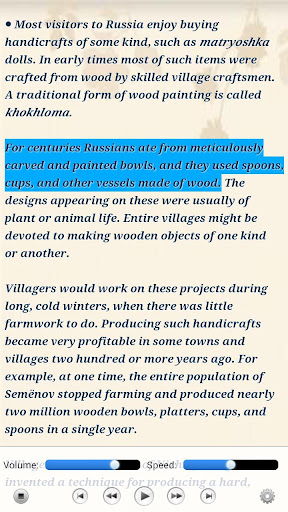
Professional book reader with powerful controls & full functions.
*Support online ebook libraries and personal calibre ebook server.
*Read local books with smooth scroll and tons of innovation.

Support txt, html, epub, umd, fb2, chm, zip or OPDS, key features:
  • Full visual options: line space, font scale, bold, italic, shadow, alpha colors, fading edge etc.
  • 10+ themes embedded, includes Day & Night mode switcher.
  • Various types of paging: touch screen, volume keys or even camera, search or back keys.
  • 24 customized operations (screen click, swipe gesture, hardware keys), apply to 15 customized events: search, bookmark, themes, navigation, font size and more.
  • 5 auto-scroll modes: rolling blind mode; by pixel, by line or by page. Real-time speed control.
  • Adjust the brightness by sliding your finger along the left edge of the screen, gesture commands supported.
  • Intelligent paragraph; indent paragraph; trim unwanted blank spaces and lines options.
  • “Keep your eyes health” options for long-time reading.
  • Real page turning effect with customized speed/color/transparent; 5 page flip animations;
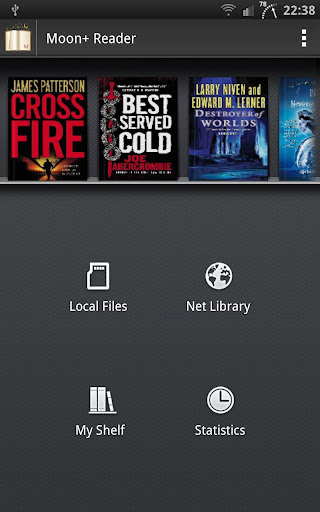
  • My Bookshelf design: Favorites, Downloads, Authors, Tags; self bookcover, search, import supported.
  • Justified text alignment, hyphenation mode supported.
  • Turn off softkey backlight in night mode option.
  • Backup/Restore options to cloud via DropBox, sync reading positions between phones and tablets.
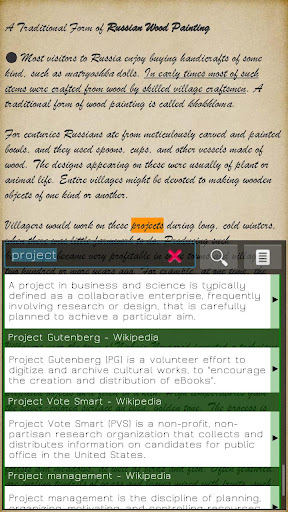
  • Highlight, Annotation, Dictionary (Offline or Online, support Google, ColorDict, Fora, etc.), Translation, Share functions all in moon+ ebook reader.
Localized in 38 languages: English, العربية, հայերեն, Български, català, český, dansk, Nederlands, eesti, français, galego, საქართველოს, Deutsch, ελληνικά, עברית, magyar, Indonesia, italiano, 日本の, 한국의, македонски, persan, polski, português, português brasil, român, русский, српски, 简体中文, slovenských, slovenskega, español, Svenskt, 繁體中文, ภาษาไทย, Türk, Український, Việt

Additional benefits in pro version:
  • Ad-free
  • Shake the phone to speak (Text-to-speech, TTS engine support)
  • More beautiful themes, background images and fonts
  • Option for password protection at startup
  • Headset & Bluetooth keys control
  • Book to home screen shortcut
  • Customize reader bar function
  • Annotations, highlights & bookmarks share support
  • Customer email support
What's in this version : (Updated : Dec 31, 2013)
  • Improve "Use embedded fonts in book" for Epub
  • Update CSS styles support, new "Disable CSS styles -> Disable Font sizes" option
  • Optimize image display in continuous pages
  • Small bugs fixed
Required Android O/S : 1.6+

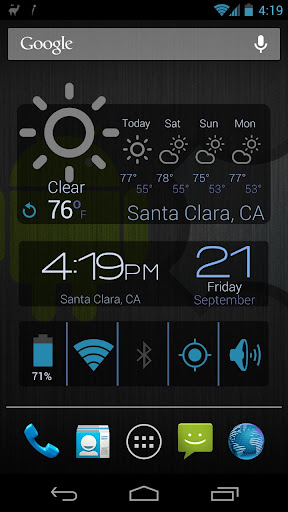
Screenshots :


Download : 7Mb APK

Screenshot Ultimate Pro v2.8.4 APK

 
Screenshot Ultimate Proplay.google.com.screenshotultimatepro
Now you can take a snapshot easily on your Android device (no root required: read the faq how). Take screenshots on your tablet, phone or other Android device without ads!
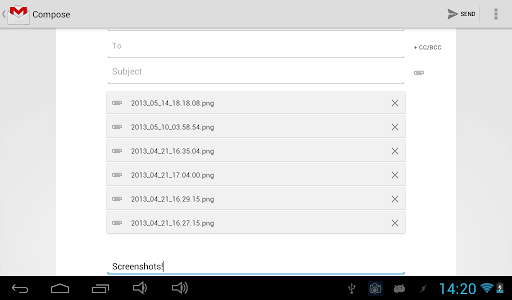
Share, draw, add text to a screenshot or even send/edit multiple screenshots!

Why is Screenshot Ultimate Pro the perfect screen capture app? Well, it has the most features and we support over 10 different capture methods. So if this app can’t take a screenshot no other screenshot app will!

We support rooted and non-rooted devices; however, if you have a non-rooted phone you might have to run a small app on your computer to enable screen shooting functionality. Read the FAQ for more information.

Since there are way too many features, only a few have been mentioned below.

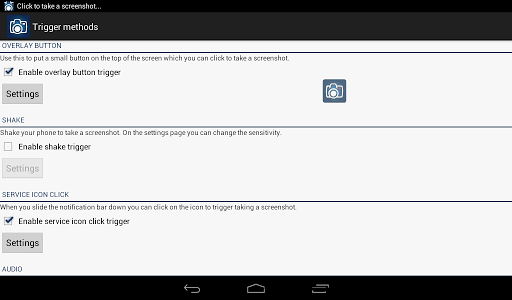
Trigger methods:
  • Overlay icon which is visible on top of all screens (icon, button or custom icon)
  • Shake
  • Service icon click
  • Audio
  • Power connect/disconnect
  • Folder listener
  • Webserver
  • Camera hardware button
  • Long click search hardware button
  • Custom shortcut
  • Widget button
  • Button inside the app
For every trigger separately you can set: what to do after the screen taking, vibrate, sound, toast, timeout, show countdown and more!

Features:
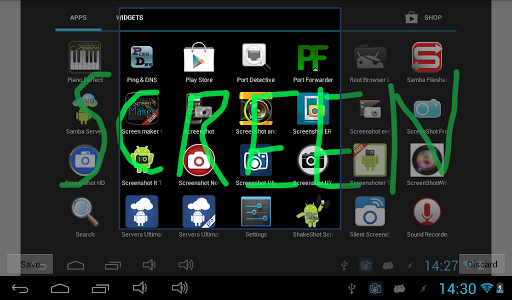
  • Edit taken screenshot: draw, add text, crop, add information (android version, wifi ip, date/time, etc), rotate, mirror, switch colors, overlay an image, use your own editor
  • Share taken screenshot: Use your custom app for sharing (Email, Picasa, Memo, etc), or upload to Imgur, Glowfoto, ImageShack, POST to server, TwitPic, Tumblr
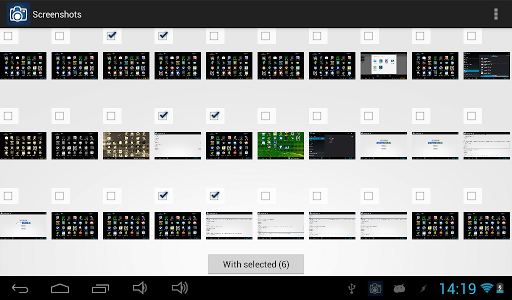
  • View all taken screenshots and select multiple for sending, create zip, edit and more!
  • Automatically apply "Screenshot Adjustments" to every taken screenshot (switch colors, rotate, mirror, add text, crop, overlay image)
  • Multiple capture methods (over 10) with an auto detect option so you can select the best option
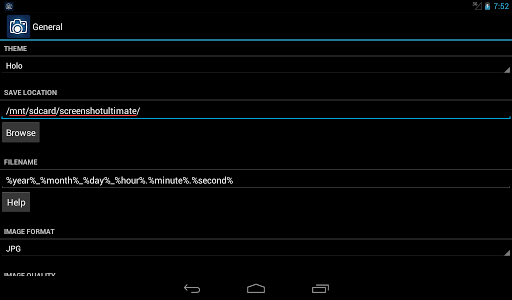
  • Set default save folder and filename
  • Set image format
  • Set optional custom shutter sound
  • Trigger media scan
  • View / Send log
What's in this version : (Updated : Dec 30, 2013)
  • 6 new screenshot capture methods!
  • Added tablet layout!
  • Added optional auto screenshot rotation
  • Added option to change screenshots preview grid size
  • Improved screenshots for Android ICS (4.0) and higher
  • Improved layout for Screenshot Ultimate
  • Improved capture engine: faster and more reliable
  • Fixed bug media scanner / gallery
  • Fixed bug cropping screen shot
  • Lots of new features!
  • Lots of bug fixes!
Required Android O/S : 2.1+

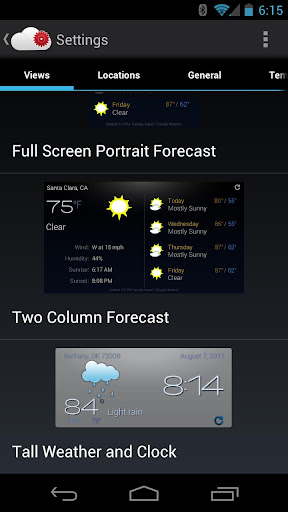
Screenshots :


Download : 1.6Mb APK
 

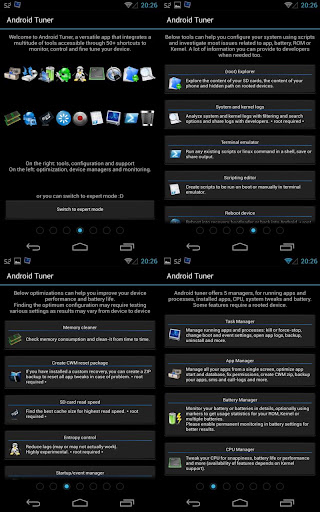
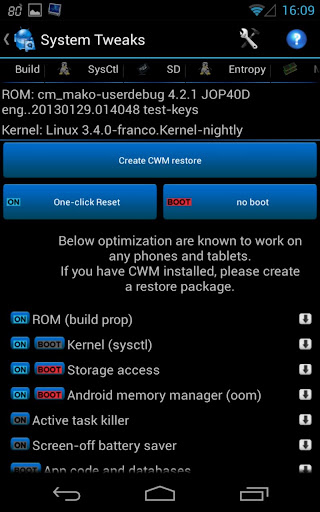
Android Tuner v0.12.8.1 APK

 
 Android Tuner play.google.com.at
Following popular requests, this is the merging of Battery Monitor Widget, System Tuner and Multi Toggle Widget apps.
Best on rooted phones, works well on stock phones too.

Unique features not available elsewhere (requires root):
  • Clean reboot
  • Turn on/off APN, BT discovery, GPS & WiFi Localization
  • Automatic backup of installed apps
  •  Logcat reader for Android JellyBean 4.1.x
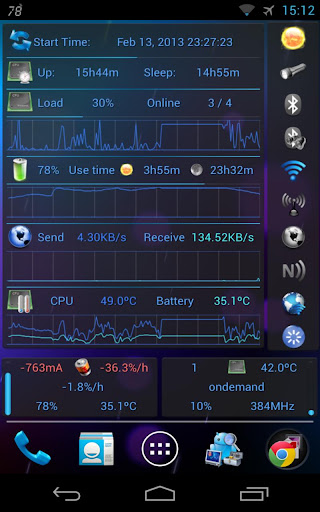
  • Graphical monitoring widgets
  • milli-amp consumption reporting
Full feature set (some require root access):
  • File explorer (root, sd, network share, streaming)
  • Application backups (auto, multiple version)
  • Startup application manager*
  • Application event control*
  • System app uninstaller*
  • System update cleaner*
  • Monitoring (battery, cpu, network, memory)
  • Logcat**, kernel message reader*
  • App statistics since unplugged
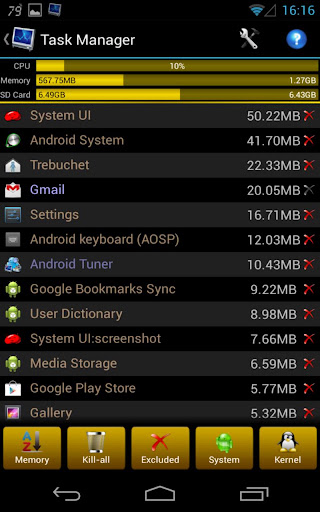
  • Task manager
  • Auto-task killer
  • Terminal emulator
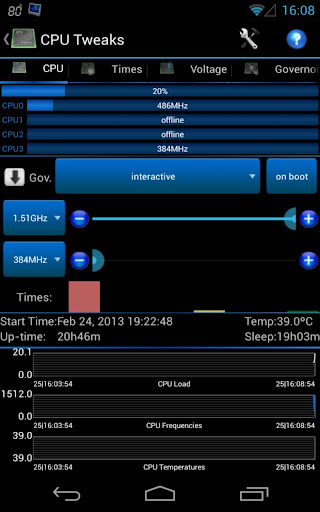
  • CPU tweaks (governor, frequency, voltages) relying on Kernel support*
  • SD tweaks (cache size, scheduler)*
  • Sysctl editor*
  • Build.prop editor*
  • Many notifications icons can be installed
  • 1x1 and 2x1 text widgets
  • 2x1, 3x1, 4x1, 4x2, 5x1 and 5x2 graphic widgets
  • 1x1 and 4x1 toggle widgets***
  • App optimizer (zipalign and database cleaner)
  • Battery saver (cpu, switch off wifi, bt...)***
* Requires root access
** Requires root access on Android 4.1 and above
*** Requires root for full feature

What's in this version : (Updated : Dec 30, 2013)
  • Fix bad characters replacing °C, °F or °K everywhereFix constant root-granting message even on non root, until Yes is pressed
  • Support open/extract from .TAR, .GZ and .GZIP
  • First-time warning when app is granted root access
  • Battery holo icons for widgets
  • Bug fixes
Required Android O/S : 2.1+

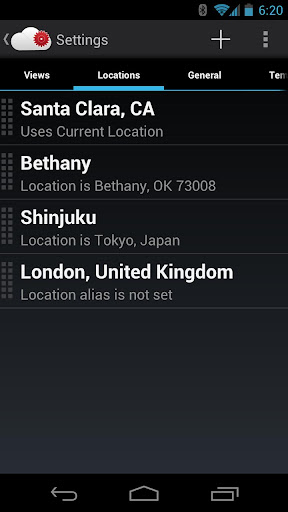
Screenshots :


Download : 8Mb APK

Recast Weather and Widgets v1.0.14 APK

Recast Weather and Widgets  play.google.com.recast

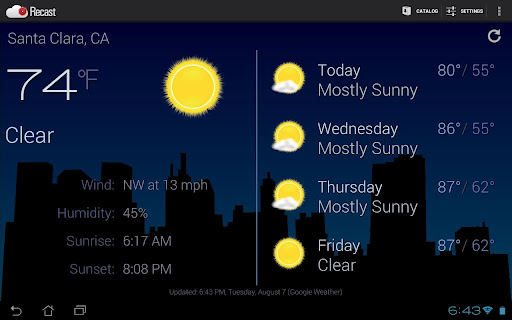
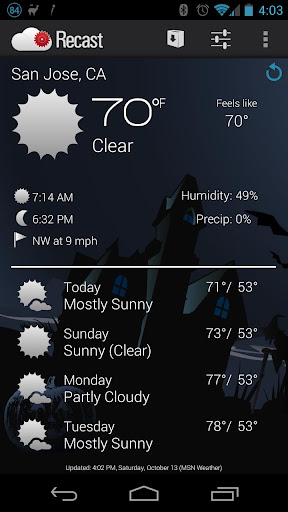
Recast is the best way to customize weather and widgets on your Android device.
On phone, tablet or Google TV, Recast is the best way to customize weather, widgets and control your Android device.

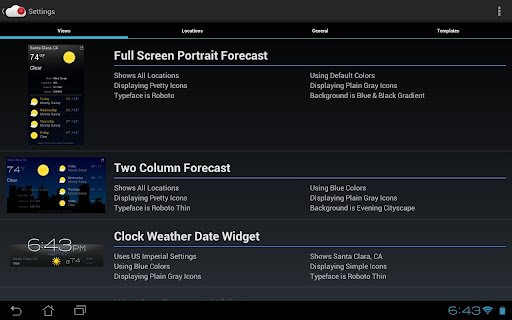
Easily change and personalize nearly everything: colors, icons, fonts, layouts, sizes and more!
Uses modern Ice Cream Sandwich Holo interface look, no matter what Android OS you have and works on nearly every Android device!
The online catalog makes it easy and fast to get new widgets, colors, styles and more.
Add as many locations as you want and customize each one for C/F, metric/imperial, 12/24 hour, naming and more.
Offers the most popular widget sizes: 1x1, 1x4, 2x2, 3x2, 4x1, 4x2, 5x1, 5x2 and full screen portrait and landscape views.
Very resource friendly and doesn't use your network or battery while your screen is off.
GPS and automatic weather updates can be disabled for full manual control.

Features:
  • Supports Android OS 2.2 Froyo, 2.3 Gingerbread and 3.x Honeycomb, 4.0 Ice Cream Sandwich and 4.1 Jelly Bean
  • One app works on virtually all phones, notes, media players, tablets and Google TVs
  • Attractive and clean widgets with clocks, dates, weather, battery, toggles and more
  • Change nearly everything: backgrounds, colors, icons, fonts, layouts, toggles, time formats, temperature units, speed units and more
  • Add, re-arrange and remove as many locations as you want for weather with easy, auto-completing name entry
  • Auto-location uses GPS, WiFi and cellular radio to update your weather as you move
  • Choose the best option from our weather providers: Google Weather or World Weather Online
  • Resize widgets to nearly any size on Android 3.x and 4.x devices
  • Includes sunrise and sunset times for most locations
  • Auto-refresh weather when your phone screen unlocks, on a set schedule or on-demand
  • Tap on any date to reach your built-in calendar app
  • Tap on any time to reach your built-in alarm clock app
  • Works both as a widget and app with full screen weather displays
  • Preview and change any widget or view instantly
What's in this version : (Updated : Dec 301, 2013)
  • Bug fixes
Required Android O/S : 2.2+

Screenshots :


Download : 2.1Mb APK