Showing posts with label Android Apps. Show all posts

Sunday, 19 January 2014

A Better Camera (Premium) v3.15 APK

 
A Better Camera play.google.com.opencam
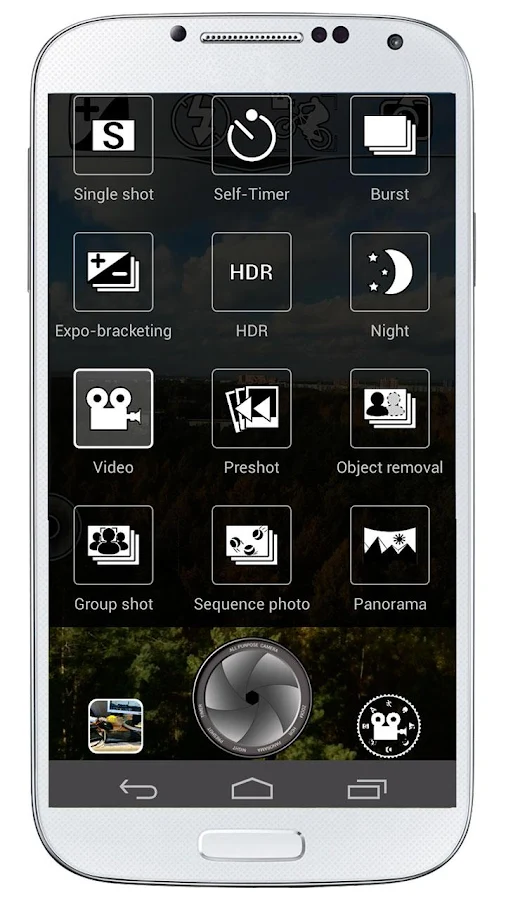
HDR: vivid colors and rich detail, photos looking like taken with a DSLR and processed with Pro software
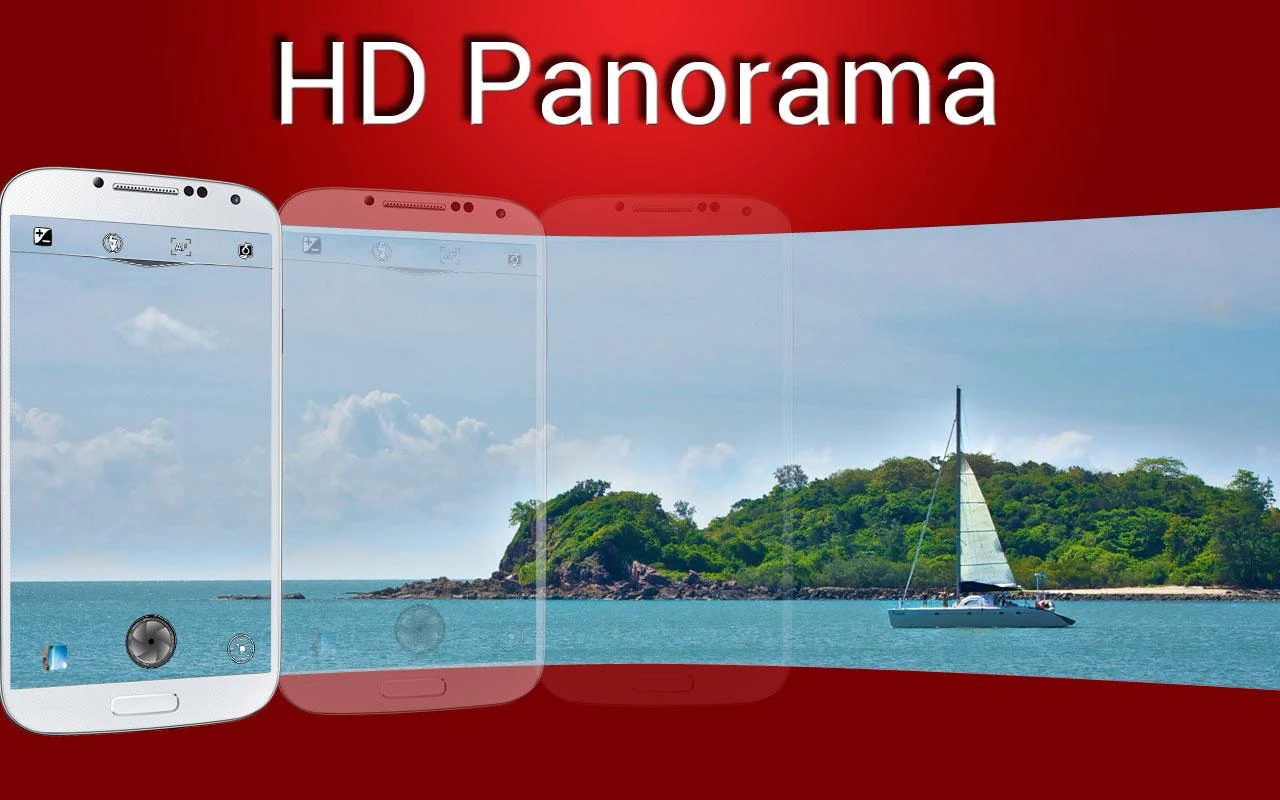
  • Panorama: up to 360 degrees, up to 100 MPix
  • Unwanted objects removal: remove objects from the photo with a tap
  • Night mode: capture sharp and noise-free photos in any illumination
  • Group portrait: make everyone smile, fuse faces from series of photos into one
  • Video recording + time lapse
  • Pre-shot: capture what happened before you tap the button
  • Sequence shot: capture the evolution of the dynamic scene
  • Burst and expo-bracketing: Pro functions in your mobile camera
  • Self-timer
  • Zoom
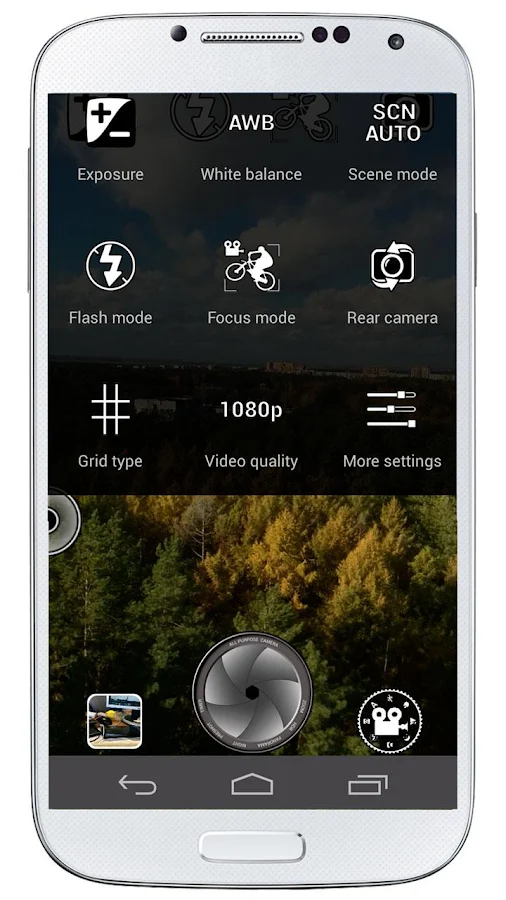
full access to all Camera controls, settings and functions
  • Forget about having dozens of camera apps. A Better Camera does everything you need.
  • A number of top ranked Android camera apps such as HDR Camera+, Night Camera+ and HD Panorama+ have been melted into A Better Camera to provide you with the best, all-purpose, full featured camera app.
  • Video has great features, such as time lapse, and can be used with focus lock, exposure lock and white balance lock!
  • Being open to 3rd party developers, this application aggregates the experience of Android developers community to provide you with the most complete set of the best imaging features ever!
  • Corresponding premium features of A Better Camera are free for users of HDR Camera+, and HD Panorama+.
What's in this version : (Updated : Jan 15, 2014)
  • launch speed increased
  • fixed freezing on some devices
  • corrections for Nexus 5
  • save image with normal exposure added in HDR mode
  • time lapse improvements
  • corrections for snapshot while recording video
  • fixed startup problems on some devices
  • more translations
  • many fixes
Required Android O/S : 4.0+

Screenshots :
A Better Camera - screenshot
A Better Camera - screenshotA Better Camera - screenshot
Download : 7.4Mb APK
 

Friday, 17 January 2014

Runtastic PRO v4.5.3 APK

 
 runtastic PRO play.google.com.pro2
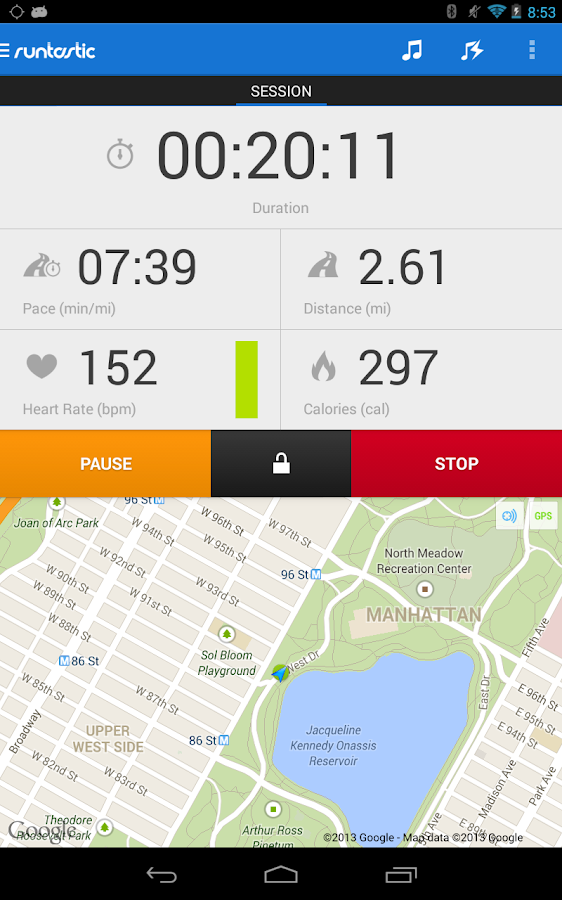
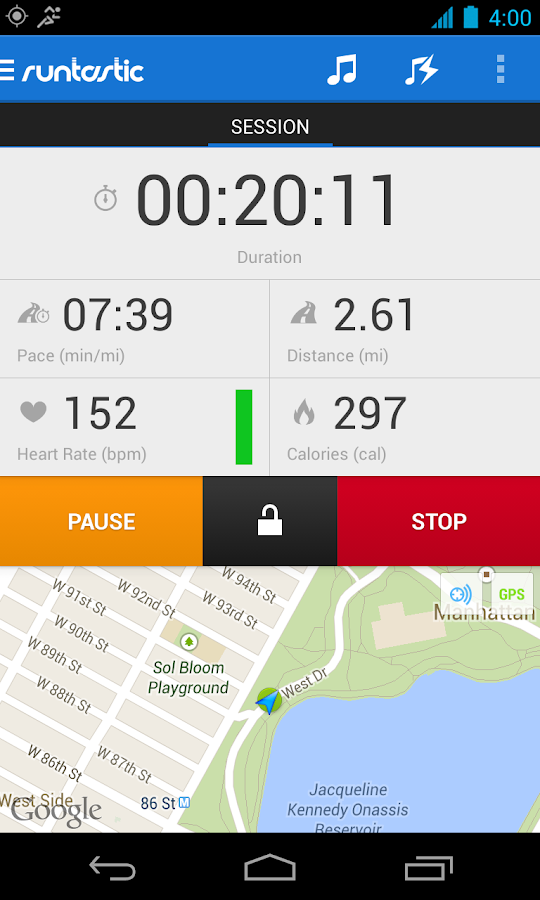
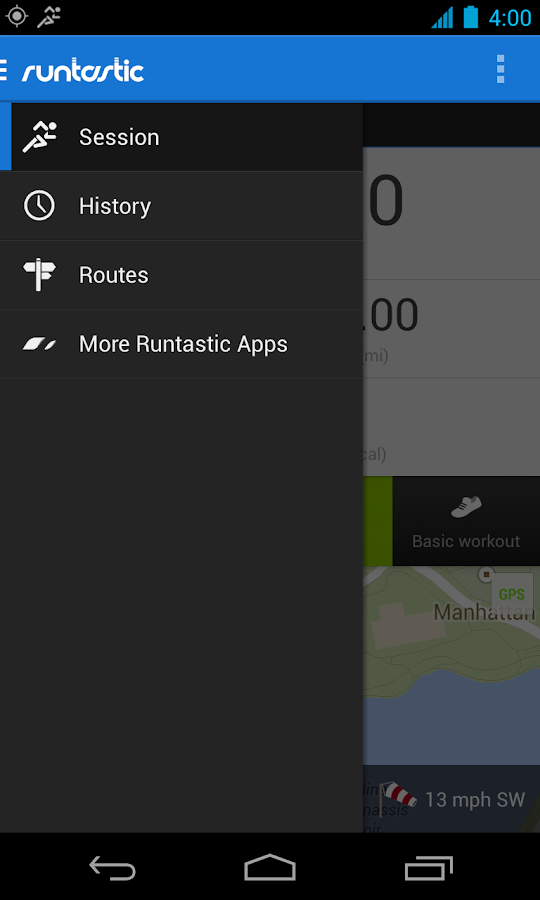
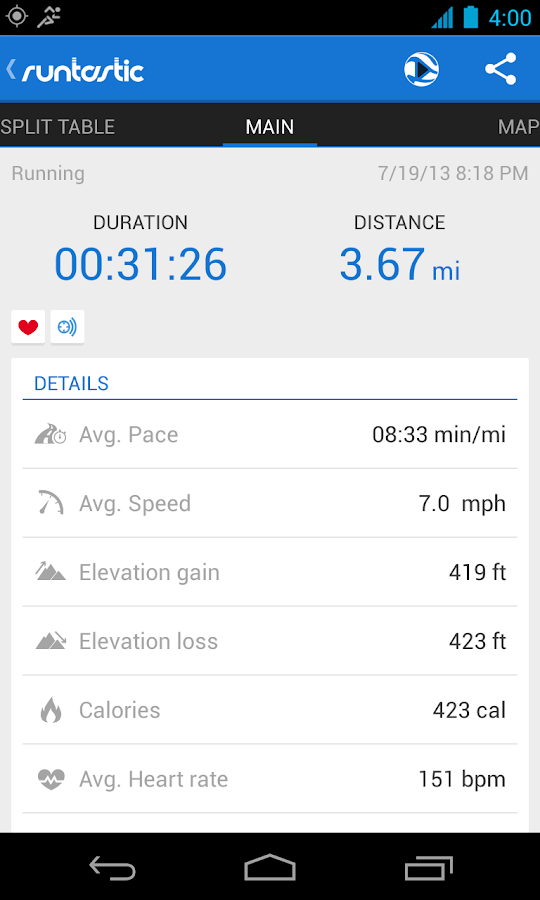
The runtastic sportcoach uses the built-in GPS to map your activities and track your progress (distance, time, speed, calories, altitude, pace, etc.). Show your friends how active you are and share your success with them.
PRO Features :
  • Voice feedback during a workout: Get audio feedback for each mile or kilometer 
  • Live tracking: Show your friends and family where you are 
  • Cheering: Hear cheers and receive messages live from your friends and be motivated to go even further 
  • Heart rate support: Polar Wearlink+ Bluetooth and Zephyr heart rate monitor 
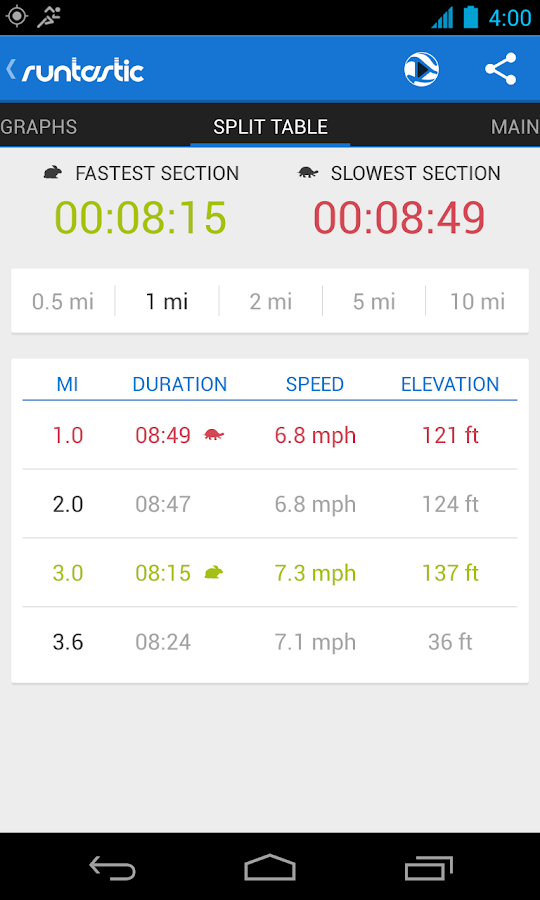
  • Split table with dynamic mile and kilometer split 
  • Calorie goal: Set a specific calorie goal and use the voice feedback to reach your workout goal 
  • Pace goal: Define your favorite pace 
  • Geotagging: Take pictures during a workout and see these pictures online at your map trace 
  • Weather and Temperature: Receive live weather information and save weather data automatically after a workout 
  • Prediction of sunset and sunrise 
Features :
  • Map your workouts in real-time with built-in GPS and monitor your progress (time, distance, speed, pace, calories, altitude, etc.) 
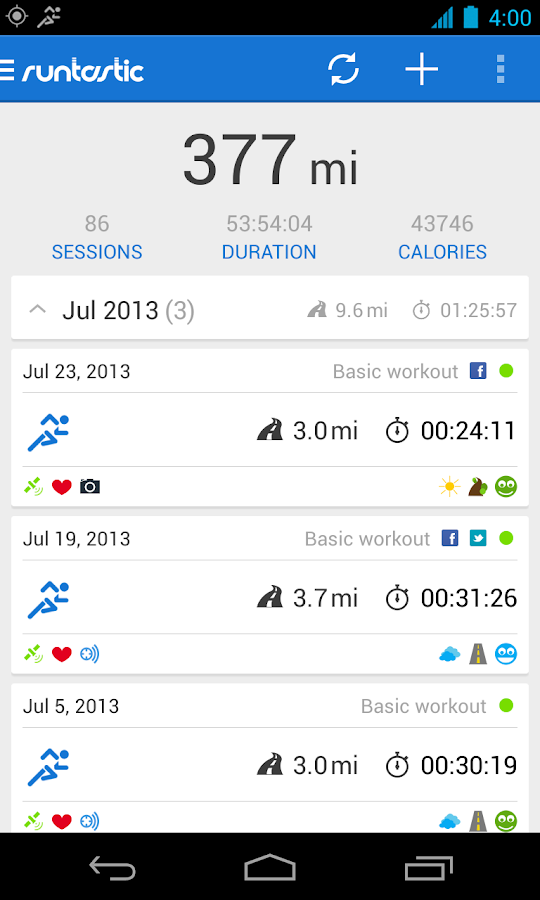
  • Personal workout diary and metrics 
  • Mapping: Detailed live mapping and historic mapping of previous sessions (Google maps) 
  • Dashboard configuration: Display preferred statistics 
  • Graphs: Get charts with altitude, pace, speed and heart rate information 
  • Performance analysis with lap times 
  • Enjoy your workouts with the integrated music player 
  • Set goals for time and distance 
  • Accurate calculation of elevation gain and loss 
  • Manual entry of workouts: Add treadmill, spinning and weightlifting workouts 
  • Monthly and overall metrics for distance, number of workouts, duration and calories 
  • Share your success on Facebook and Twitter 
You can save all your workouts at www.runtastic.com. Using the online community you’ll get further analysis, metrics and comparisons to your friends. Additionally, you can choose a training plan and track your body statistics. Share all your workouts easily with the facebook and twitter connect.
What's in this version: (Updated : Jan 17, 2014)
  • Optimized for Tablets
  • Enjoy an incredible view of your activities and detailed statistics on your tablet!
  • Story Running
    • Experience an all-new, entertaining way to run! Give Runtastic Story Running a try today and become part of the story for extra motivation & improved training results! Full integration with "Workout" mode in the Runtastic app
  • Google+ Sign-In
    • Now you can log-in with your Google account. Start sharing your activities on Google+ now.
Required Android O/S : 2.1+

Screenshots :
Runtastic PRO - screenshot Runtastic PRO - screenshot
Download : 10Mb APK

Runtastic PRO v4.5.3 APK

 
 runtastic PRO play.google.com.pro2
The runtastic sportcoach uses the built-in GPS to map your activities and track your progress (distance, time, speed, calories, altitude, pace, etc.). Show your friends how active you are and share your success with them.
PRO Features :
  • Voice feedback during a workout: Get audio feedback for each mile or kilometer 
  • Live tracking: Show your friends and family where you are 
  • Cheering: Hear cheers and receive messages live from your friends and be motivated to go even further 
  • Heart rate support: Polar Wearlink+ Bluetooth and Zephyr heart rate monitor 
  • Split table with dynamic mile and kilometer split 
  • Calorie goal: Set a specific calorie goal and use the voice feedback to reach your workout goal 
  • Pace goal: Define your favorite pace 
  • Geotagging: Take pictures during a workout and see these pictures online at your map trace 
  • Weather and Temperature: Receive live weather information and save weather data automatically after a workout 
  • Prediction of sunset and sunrise 
Features :
  • Map your workouts in real-time with built-in GPS and monitor your progress (time, distance, speed, pace, calories, altitude, etc.) 
  • Personal workout diary and metrics 
  • Mapping: Detailed live mapping and historic mapping of previous sessions (Google maps) 
  • Dashboard configuration: Display preferred statistics 
  • Graphs: Get charts with altitude, pace, speed and heart rate information 
  • Performance analysis with lap times 
  • Enjoy your workouts with the integrated music player 
  • Set goals for time and distance 
  • Accurate calculation of elevation gain and loss 
  • Manual entry of workouts: Add treadmill, spinning and weightlifting workouts 
  • Monthly and overall metrics for distance, number of workouts, duration and calories 
  • Share your success on Facebook and Twitter 
You can save all your workouts at www.runtastic.com. Using the online community you’ll get further analysis, metrics and comparisons to your friends. Additionally, you can choose a training plan and track your body statistics. Share all your workouts easily with the facebook and twitter connect.
What's in this version: (Updated : Jan 17, 2014)
  • Optimized for Tablets
  • Enjoy an incredible view of your activities and detailed statistics on your tablet!
  • Story Running
    • Experience an all-new, entertaining way to run! Give Runtastic Story Running a try today and become part of the story for extra motivation & improved training results! Full integration with "Workout" mode in the Runtastic app
  • Google+ Sign-In
    • Now you can log-in with your Google account. Start sharing your activities on Google+ now.
Required Android O/S : 2.1+

Screenshots :
Runtastic PRO - screenshot Runtastic PRO - screenshot
Download : 10Mb APK

Runtastic PRO v4.5.3 APK

 
 runtastic PRO play.google.com.pro2
The runtastic sportcoach uses the built-in GPS to map your activities and track your progress (distance, time, speed, calories, altitude, pace, etc.). Show your friends how active you are and share your success with them.
PRO Features :
  • Voice feedback during a workout: Get audio feedback for each mile or kilometer 
  • Live tracking: Show your friends and family where you are 
  • Cheering: Hear cheers and receive messages live from your friends and be motivated to go even further 
  • Heart rate support: Polar Wearlink+ Bluetooth and Zephyr heart rate monitor 
  • Split table with dynamic mile and kilometer split 
  • Calorie goal: Set a specific calorie goal and use the voice feedback to reach your workout goal 
  • Pace goal: Define your favorite pace 
  • Geotagging: Take pictures during a workout and see these pictures online at your map trace 
  • Weather and Temperature: Receive live weather information and save weather data automatically after a workout 
  • Prediction of sunset and sunrise 
Features :
  • Map your workouts in real-time with built-in GPS and monitor your progress (time, distance, speed, pace, calories, altitude, etc.) 
  • Personal workout diary and metrics 
  • Mapping: Detailed live mapping and historic mapping of previous sessions (Google maps) 
  • Dashboard configuration: Display preferred statistics 
  • Graphs: Get charts with altitude, pace, speed and heart rate information 
  • Performance analysis with lap times 
  • Enjoy your workouts with the integrated music player 
  • Set goals for time and distance 
  • Accurate calculation of elevation gain and loss 
  • Manual entry of workouts: Add treadmill, spinning and weightlifting workouts 
  • Monthly and overall metrics for distance, number of workouts, duration and calories 
  • Share your success on Facebook and Twitter 
You can save all your workouts at www.runtastic.com. Using the online community you’ll get further analysis, metrics and comparisons to your friends. Additionally, you can choose a training plan and track your body statistics. Share all your workouts easily with the facebook and twitter connect.
What's in this version: (Updated : Jan 17, 2014)
  • Optimized for Tablets
  • Enjoy an incredible view of your activities and detailed statistics on your tablet!
  • Story Running
    • Experience an all-new, entertaining way to run! Give Runtastic Story Running a try today and become part of the story for extra motivation & improved training results! Full integration with "Workout" mode in the Runtastic app
  • Google+ Sign-In
    • Now you can log-in with your Google account. Start sharing your activities on Google+ now.
Required Android O/S : 2.1+

Screenshots :
Runtastic PRO - screenshot Runtastic PRO - screenshot
Download : 10Mb APK

Shuttle+ Music Player v1.3.3 APK


Shuttle+ Music Player play.google.com.amp_pro
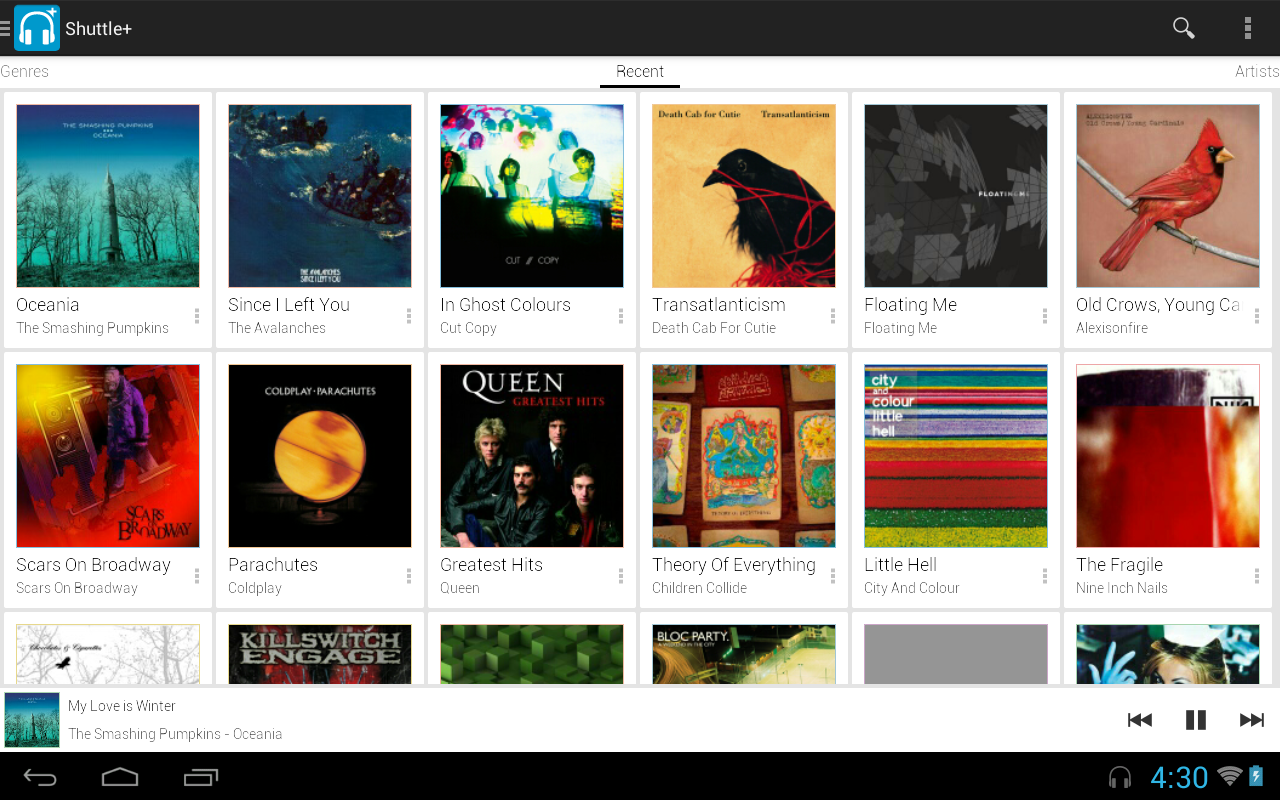
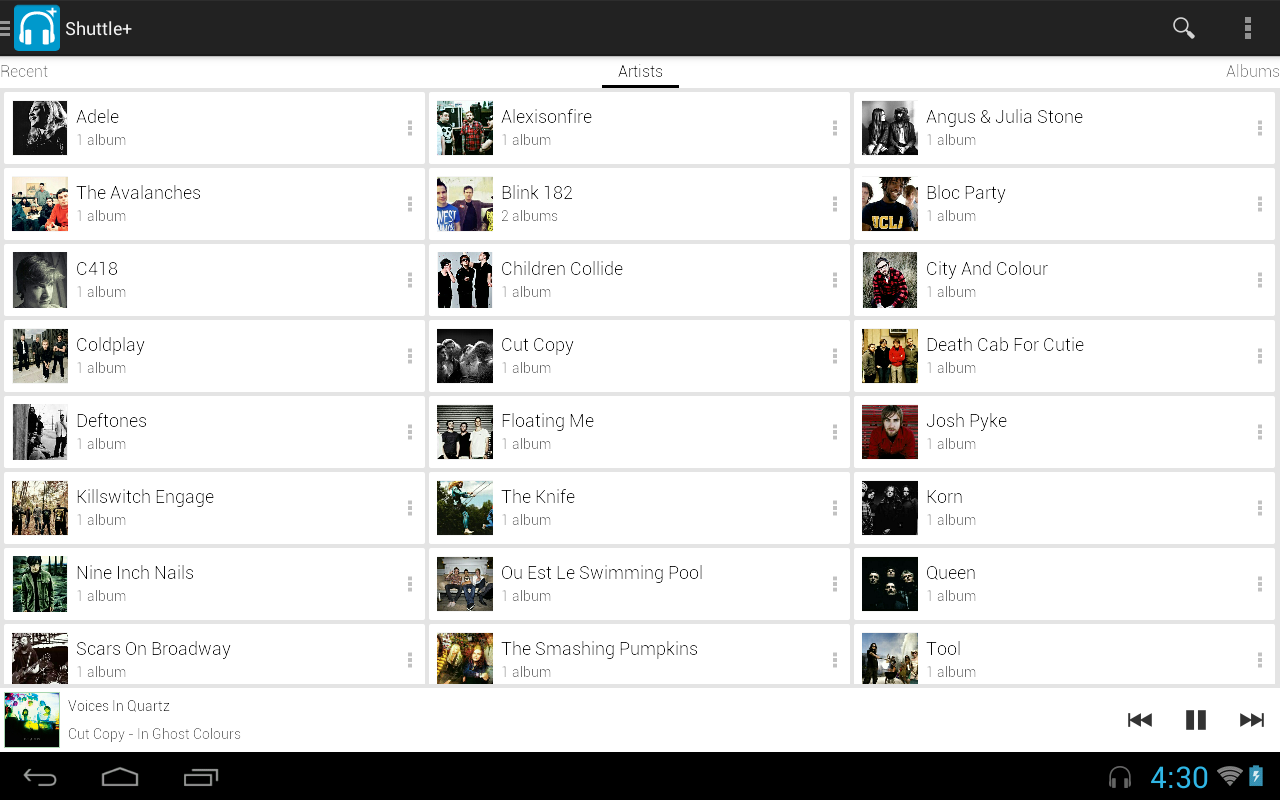
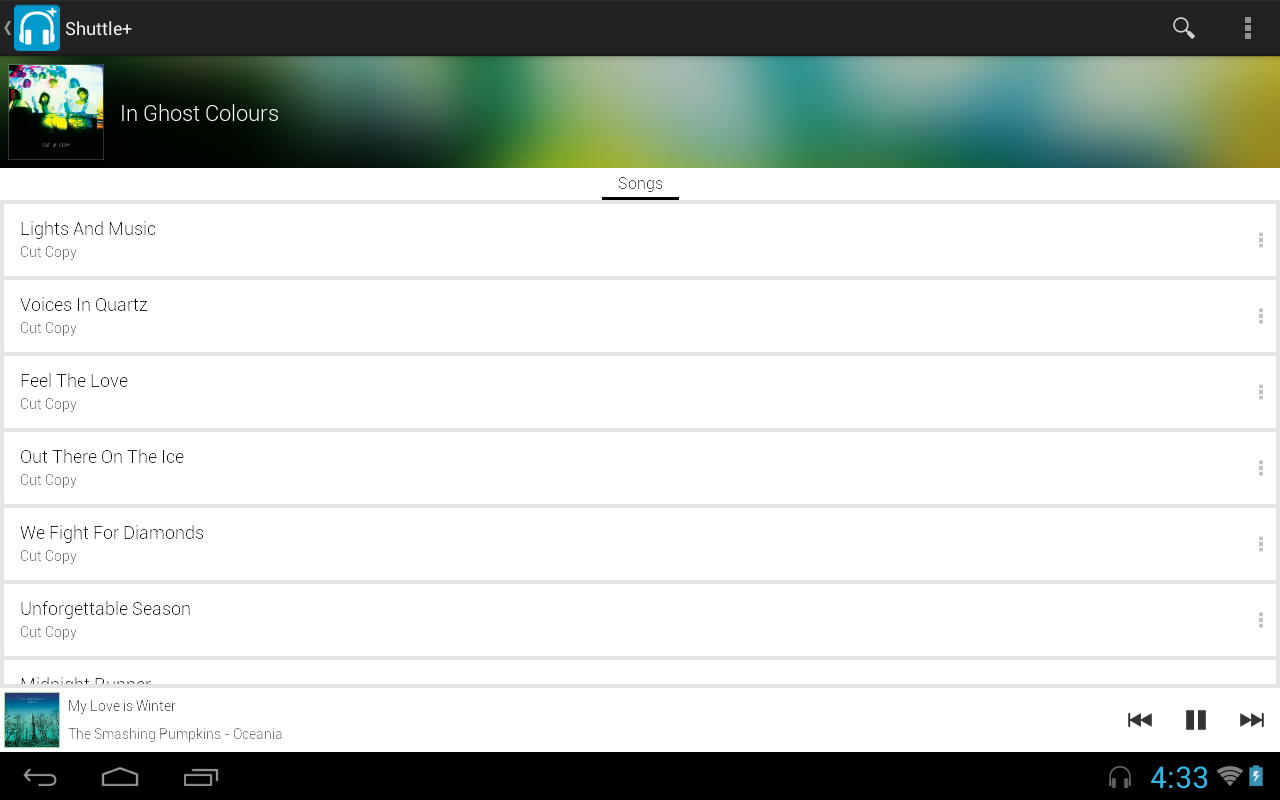
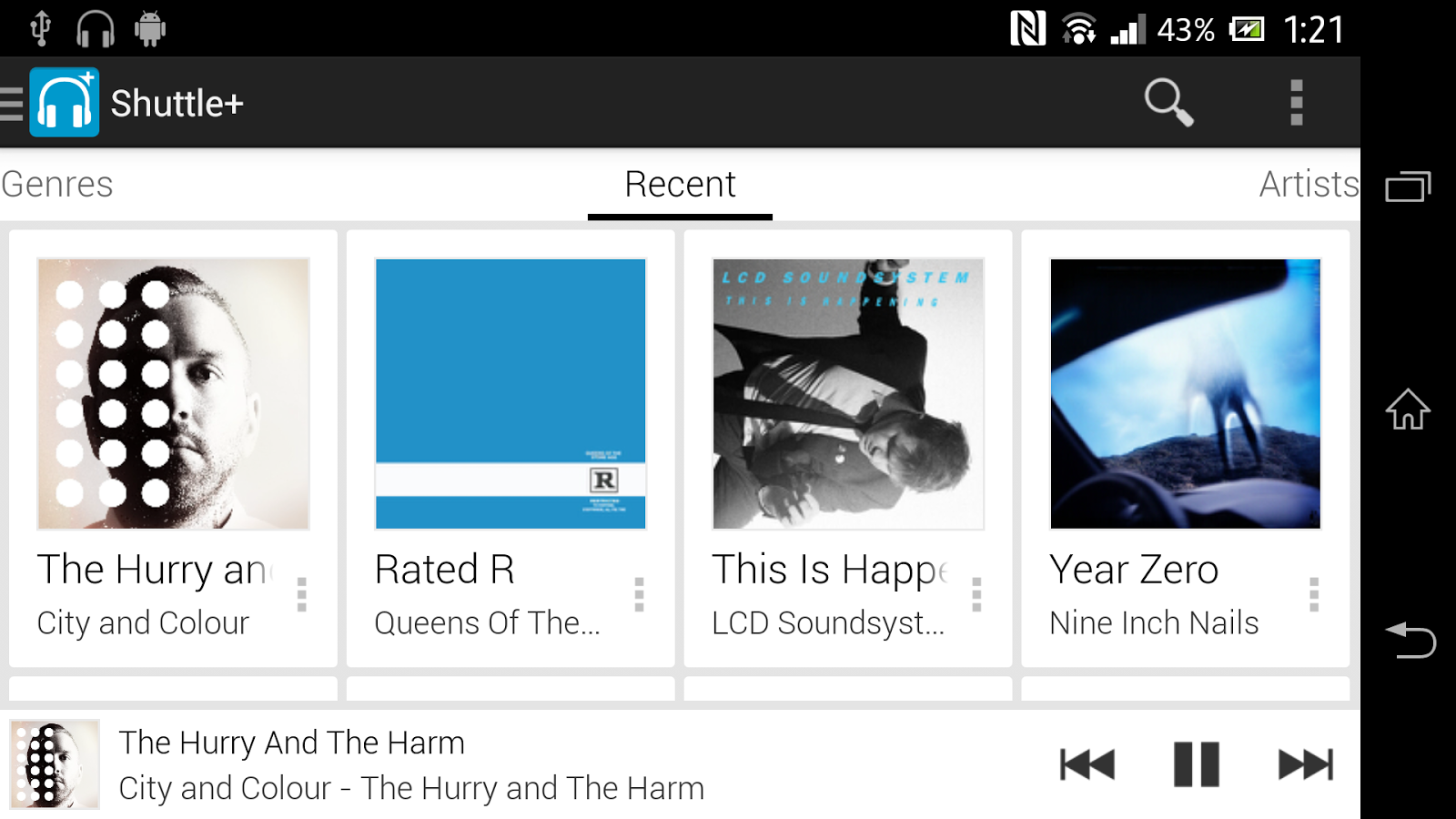
AMP is easy to navigate, intuitive & constantly evolving to a better music player - aspiring to be the music player of choice for Android devices.

Features:
  • Playlists
  • Enqueue
  • Lockscreen controls (ICS+)
  • Notification controls (Honeycomb+)
  • Jelly Bean notification controls
  • Gapless playback (Jelly Bean +)
  • Landscape & portrait mode
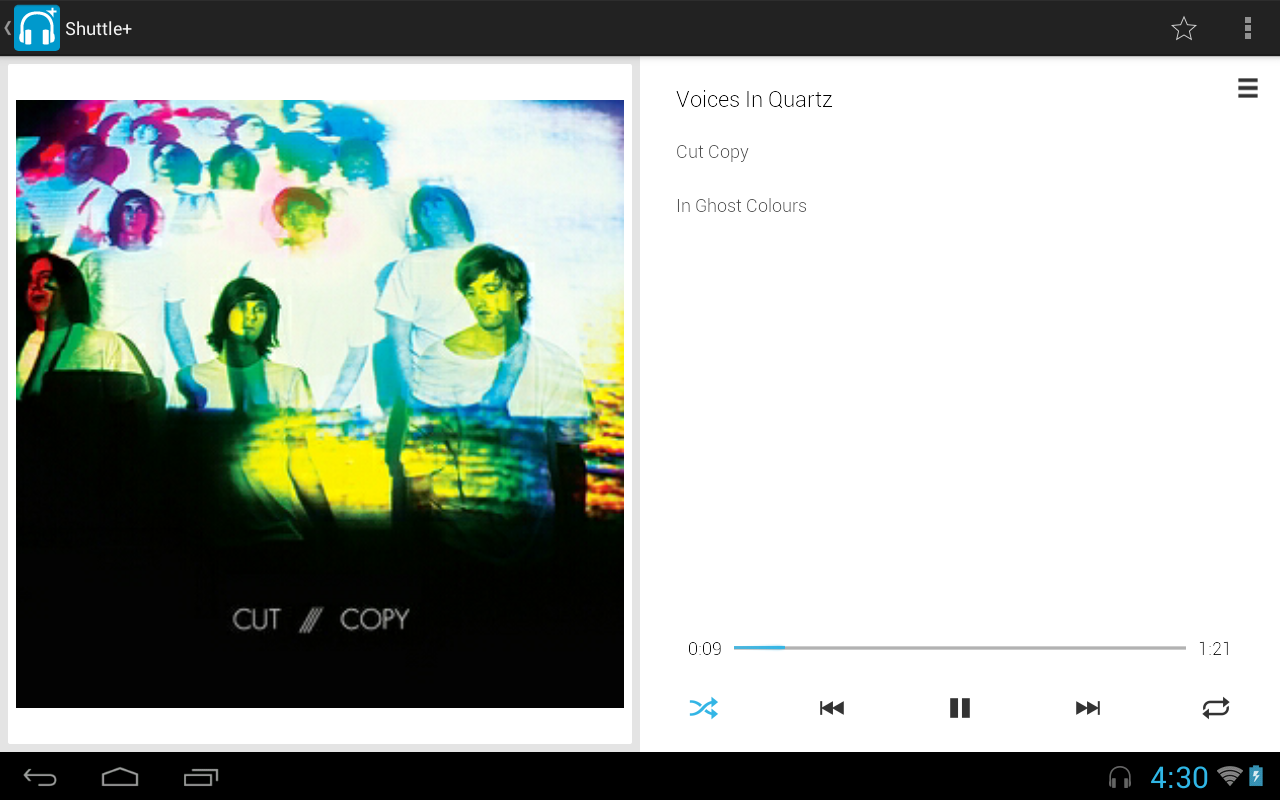
  • Persistent now playing bar
  • Fast image caching
  • Customisable widget
  • Headset button controls
  • Automatically stop playing when disconnecting headset
  • Album Art Downloading
  • 5 Band Equalizer
  • Gesture control
  • Scrobbling support
  • 3 Different Themes!
What's in this version : (Updated : Jan 17, 2014)
  • Option to blacklist songs (see overflow menu)
  • Option to whitelist folders (press settings button from folder browser)
  • Added Chinese translations, updated Spanish, Italian & German translations
  • Improved layout aesthetics & list scrolling performance
  • Fixed DSP Manager issues
  • Improved themes
  • Various other bug fixes & better compatibility on older devices
Required Android O/S : 2.2+

Screenshots :
Shuttle+ Music Player - screenshot
Download : 4Mb APK
 

Unified Remote Full v2.12.0 APK

 
 Unified Remote Full play.google.com.Relmtech.RemotePaid
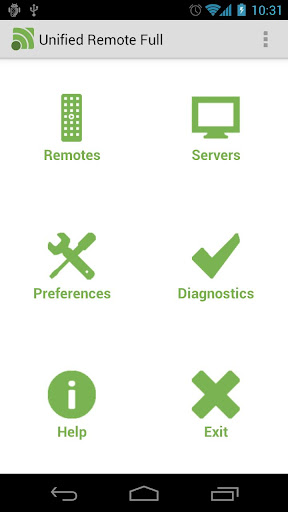
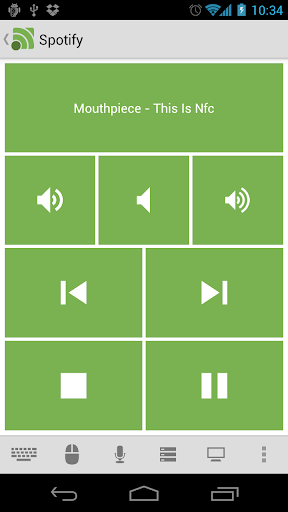
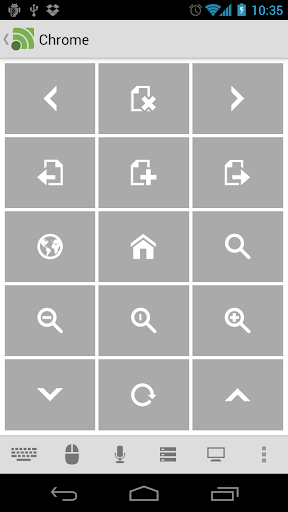
Easily the most feature-filled Android-PC remote. Turns your Android device into a WiFi or Bluetooth remote control for your Windows PC. Control your favorite programs, mouse, and keyboard.

DOWNLOAD SERVER V2: www.unifiedremote.com

SUPPORT
http://unifiedremote.com/support
http://support.unifiedremote.com/

Please try the free version before you buy the full version. Please let us know if you have any problems upgrading from the free version to the full version.

Features:
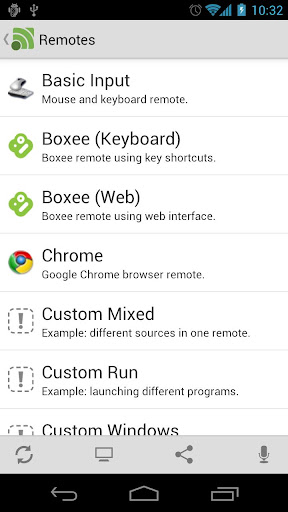
  • Custom Remotes
  • WiFi (TCP/UDP)
  • Bluetooth
  • Easy server and app setup
  • Comprehensive server manager
  • Automatic server detection
  • Clear connection troubleshooting
  • Custom/Android keyboard support
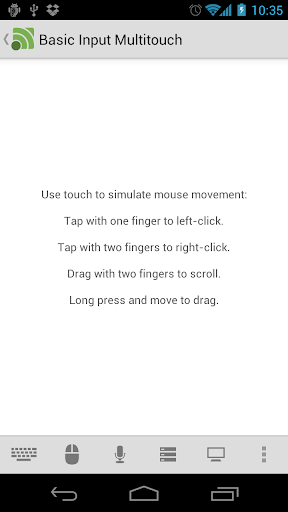
  • Single/Multi touch mouse
  • Hardware volume control
  • Quick Switch using swipe gestures
  • Quickly change servers
  • Auto-pause media for phone calls
  • Homescreen shortcuts to remotes
  • Wake On Lan
  • Server password protection
  • 256-bit AES encryption
  • Voice commands
Free Version Features:
  • Basic Input
  • File Manager
  • Keyboard
  • Media
  • Power
  • Slide Show
  • Spotify
  • Start
  • Task Manager
  • Windows Media Center
  • Windows Media Player
  • VLC (Keyboard)
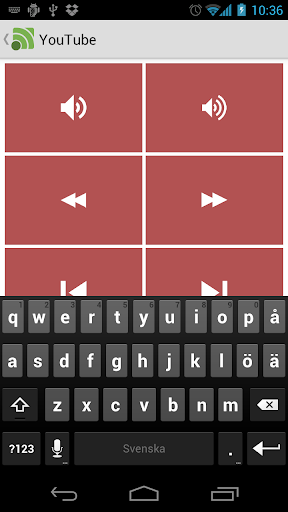
  • YouTube
Full Version Features:
  • Custom Remotes
  • Boxee (Keyboard)
  • Boxee (Web)
  • Chrome
  • Firefox
  • foobar2000
  • Hulu Desktop
  • Hulu Web
  • Internet Explorer
  • iTunes
  • J River Media Center
  • Monitor
  • Media Portal
  • MediaMonkey
  • MPC HC
  • Netflix
  • Opera
  • Pandora
  • Picasa
  • PowerPoint Advanced
  • PowerPoint Basic
  • Send Text
  • Spotify Advanced
  • Tellstick
  • USB-UIRT Helper
  • Winamp
  • Windows Photo Viewer
  • VLC (Web)
  • XBMC (Keyboard)
  • XBMC (Web)
  • XBMC Media
What's in this version : (Updated : Jan 16, 2014)
  • Added Plex remote.
  • Fixed VLC playlist issue.
  • Fixed iTunes not updating.
  • Fixed Spotify Advanced with multiple users.
  • Added pinch-zoom in Basic Input (Android 2.2+).
  • Added YouTube exit fullscreen.
  • Preparations for V3 compatibility.
  • Minor bug fixes.
Required Android O/S : 1.6+

Screenshots :


Download : 1Mb APK

[root] Mobile ODIN Pro v4.00 APK

 
 [root] Mobile ODIN Pro play.google.com.mobileodin.pro
Just throw those firmware files on your (internal or external) SD card, start Mobile ODIN and flash away.

! Your device must be rooted to be able to use Mobile ODIN. Check the list below to see if your device is supported !

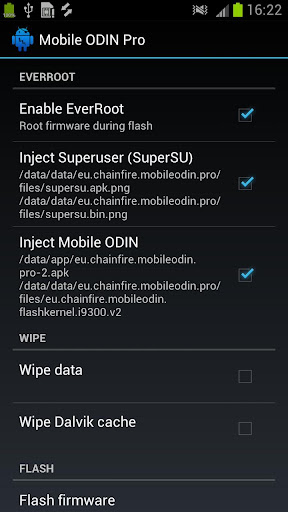
If you use the EverRoot option, Mobile ODIN will root the firmware while you flash it. Checking out that new leaked firmware? No reason to lose root!
Flashing with Mobile ODIN is easy. You start by starting the app and the app will check your system has everything it needs to continue (like root). It may need to download an additional package, so it is advised you have Wi-Fi available.

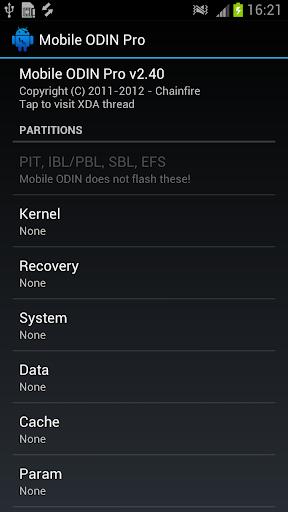
Now you should see the main Mobile ODIN screen. It will list a set of partitions. Clicking a partition will allow you to select a file from your SD card to flash to that partition. Do not worry about selecting the wrong file - Mobile ODIN will not let you. Separate files (named after the partition) as well as .tar and .tar.md5 files are supported.

From the desktop ODIN you may be used to "PDA", "PHONE", and "CSC" buttons. All three of these buttons have been replaced by the "Open file ..." button. This button will open the file you select from the SD card, and find all the partitions it can flash inside that file. So if you select a .tar file containing kernel and modem, the Kernel and Modem partitions will be set up to use that .tar file for flashing.

Now that we have selected what we want to flash, if you have the Pro version you can proceed to the EverRoot section. The EverRoot options allows you to root your firmware while it is being flashed. Never again will you be without root! Select here which apps you want to inject in the firmware that is being flashed.

Now that we are all done selecting partitions and configuring EverRoot, we continue to "Flash firmware". Mobile ODIN will gather all the information it needs and perform the flash. Before starting, however, it will check that your battery level is over 50%, and if applicable offer to verify MD5 checksums on the files you have selected to flash. If all is well, it will reboot into recovery mode, and flash the firmware you have selected.

Currently supported devices:
  • Samsung Galaxy S GT-I9000/B/M
  • Samsung Galaxy S GT-I9003/L
  • AT&T/Rogers Captivate SGH-I896/I897
  • Samsung Galaxy S2 GT-I9100/T/G/m
  • Samsung Galaxy S2 SHW-M250S/K
  • Samsung Galaxy S2 SC-02C
  • AT&T Galaxy S2 SGH-I777
  • Sprint/Virgin/Boost Epic 4G Touch SPH-D710/VMUB/BST
  • USCC Galaxy S2 SCH-R760
  • Samsung Galaxy S3 GT-I9300/T
  • Samsung Galaxy S3 GT-I9308
  • AT&T/Canadia Galaxy S3 SGH-I747/M
  • TMOUS Galaxy S3 SGH-T999
  • Sprint/C-Spire Galaxy S3 SPH/SCH-L710
  • VZW Galaxy S3 SCH-I535 (unlock bootloader !)
  • USCC/Cricket/MetroPCS Galaxy S3 SCH-R530/U/M/C
  • Samsung Galaxy S3 LTE SHV-E210S
  • Samsung Galaxy S3 LTE GT-I9305/T/N
  • Google Galaxy Nexus (GSM) Maguro/Yakju/GT-I9250
  • Google Galaxy Nexus (CDMA/LTE) Toro/Mysid/SCH-I515 (no cdma radio flashing)
  • Samsung Galaxy Note GT-N7000
  • Samsung Galaxy Note GT-I9220
  • Samsung Galaxy Note GT-N7000B
  • Samsung Galaxy Note 2 GT-N7100
  • Samsung Galaxy Note 2 LTE GT-N7105
  • AT&T/Canadia Galaxy Note 2 SGH-I317/M
  • TMOUS Galaxy Note 2 SGH-T889
  • Sprint Galaxy Note 2 SPH-L900
  • VZW Galaxy Note 2 SCH-I605 (unlock bootloader !)
  • USCC Galaxy Note 2 SCH-R950
  • Samsung Galaxy Note 10.1" GT-N8000 
  • Samsung Galaxy Note 10.1" Wi-Fi GT-N8010/N8013
  • Samsung Galaxy Tab 7" GT-P1000
  • Samsung Galaxy Tab 7.0 Plus GT-P6200/L, GT-P6210
  • Samsung Galaxy Tab 7.7" GT-P6800, GT-P6810
  • Samsung Galaxy Tab 10.1" GT-P7500, GT-P7510
  • Samsung Galaxy Tab 2 7" GT-P3100, GT-P3110, GT-P3113
  • Samsung Galaxy Tab 2 10" GT-P5100, GT-P5110, GT-P5113
  • Samsung Galaxy 5 GT-I5500/B/L/T/M
  • Samsung Galaxy 5 GT-I5503/T
  • Samsung Galaxy 5 GT-I5508
Flashing with Mobile ODIN does NOT increase your custom kernel flash counter or make the yellow warning triangle appear.

What's in this version: (Updated : Jan 16, 2014)
  • Updated: SuperSU v1.89
  • Updated: SD card path and filesystem resolution
  • Added: Option to boot to download mode after flash (for bootloader update)
  • Support for
    • Samsung Galaxy S4 LTE
    • International 4.4
    • Sprint 4.3
    • TMOUS 4.3
    • USCC 4.3
    • Canadia 4.3
    • Samsung Galaxy Note3 LTE
    • International 4.4
    • Sprint 4.3
    • TMOUS 4.3
    • SCC 4.3
    • Canadia 4.3
Required Android O/S : 2.2+

Screenshots :
 

Download : 2.5Mb APK

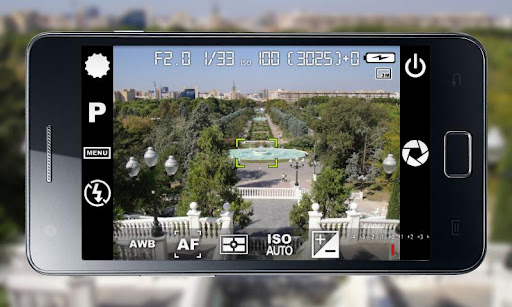
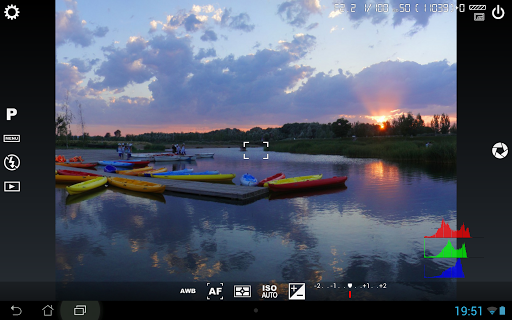
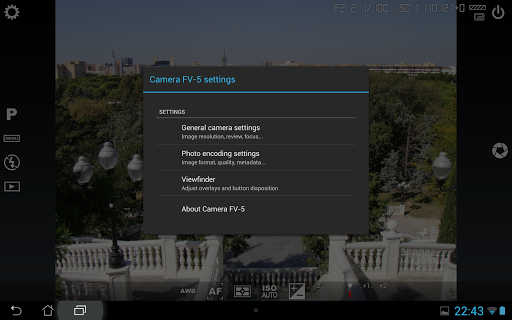
Camera FV-5 v1.62 APK

 
 Camera FV-5 play.google.com.camera.pro
Tailored to enthusiast and professional photographers, with this camera application you can capture the best raw photographs so that you can post-process them later and get stunning results. The only limit is your imagination and creativity!

Features :
  • All photographic parameters are adjustable and always at hand: exposure compensation, ISO, light metering mode, focus mode, white balance and program mode.
  • DSLR-like viewfinder display: see exposure time, aperture and stops display with EV and bracketing settings.
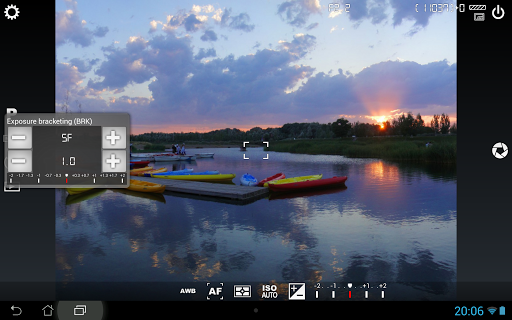
  • Full fledged exposure bracketing: from 3 to 7 frames, unlimited stops spacing, plus custom EV shifting.
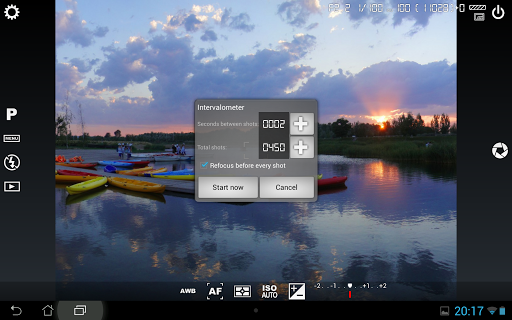
  • Built-in intervalometer: make stunning timelapses (even bracketed/HDR timelapses) and time-controlled picture series.
  • Program and Speed-priority modes.
  • Long exposure support: take beautiful night photos and light trails with long exposure times up to 60 seconds*.
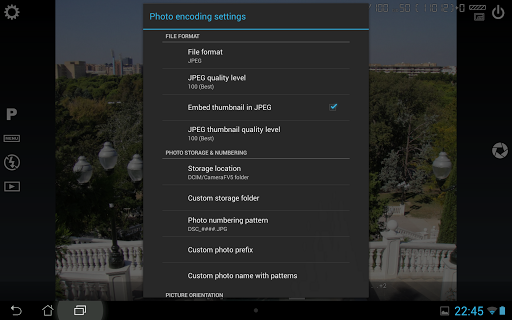
  • JPEG as well as RAW (PNG) image formats for lossless photo capturing, perfect for post-processing.
  • EXIF and XMP sidecar metadata support.
  • Self timer for delayed shooting.
  • Autofocus, macro, touch-to-focus** and infinity focus modes, plus a focus lock switch (AF-L).
  • In background photo developing and processing allows a smooth, uninterrupted camera operation.
This camera application completely avoids scene modes, instead you get full manual control over all photographic parameters, just like you do with a reflex camera, so you can ultimately control every aspect of the picture, and leave the post-processing to the computer. So after your DSLR, you will never miss a photo opportunity again, being able to capture it with the closer sensation to your DSLR as possible.

What's in this version: (Updated : Jan 4, 2014)
  • Fixed: crashes when taking photos in portrait orientation on the Moto X.
  • Fixed: date/time EXIF issues on some devices.
  • New: support of extended controls (Aperture priority, Manual exposure, optical zoom, etc.) on the Samsung Galaxy Camera (Wi-Fi only) and Samsung Galaxy Camera 2nd generation.
Required Android O/S : 2.2+

Screenshots :


Download : 2.8Mb APK

SwiftKey Keyboard v4.4.2.254 APK

 
SwiftKey 3 Keyboard play.google.com.swiftkey
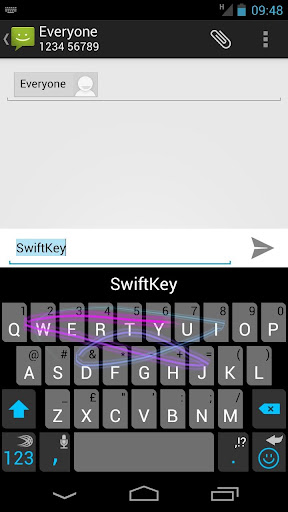
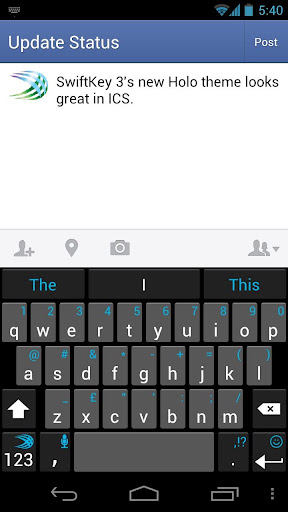
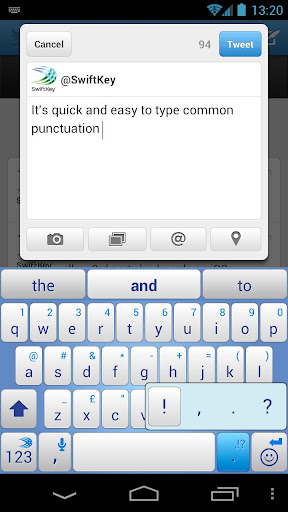
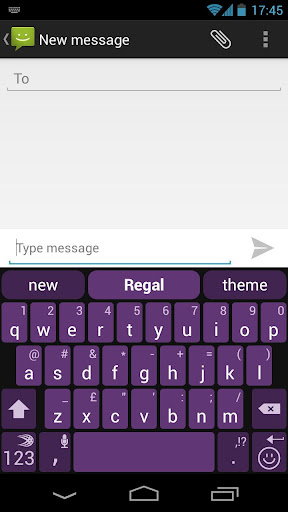
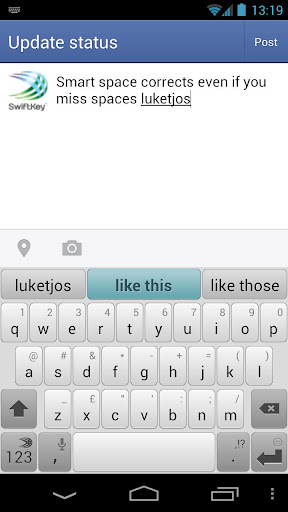
SwiftKey 3 understands how words work together, giving much more accurate corrections and predictions than other keyboards. Very sloppy typing will magically make sense, even if you miss spaces, and SwiftKey 3 also predicts your next words.

SwiftKey 3 learns the words and phrases you use, and how you interact with your keyboard as you use it, to make typing easier and even more accurate over time. You can also personalize it using your Gmail, Facebook, Twitter or blog posts.

SwiftKey is among Android's best selling apps for a reason -- it transforms your keyboard, making typing a breeze and saving you hassle every day.

LANGUAGES SUPPORTED: (enable up to three at once if you're multi-lingual)
  • English (US)
  • English (UK)
  • Afrikaans
  • Arabic
  • Basque
  • Bulgarian
  • Catalan
  • Croatian
  • Czech
  • Danish
  • Dutch
  • Estonian
  • French (CA)
  • French (FR)
  • Finnish
  • Galician
  • German
  • Greek
  • Hebrew
  • Hungarian
  • Icelandic
  • Indonesian
  • Italian
  • Kazakh
  • Korean
  • Latvian
  • Lithuanian
  • Norwegian
  • Persian (Farsi)
  • Polish
  • Portuguese (BR)
  • Portuguese (PT)
  • Romanian
  • Russian
  • Serbian
  • Spanish (ES)
  • Spanish (US)
  • Slovak
  • Slovenian
  • Swedish
  • Turkish
  • Ukrainian
Support for QWERTY, QWERTZ, QZERTY, AZERTY, DVORAK, COLEMAK, Arabic, Bulgarian, Greek, Hebrew, Korean, Persian (Farsi), Russian and Ukrainian layouts.

What's in this version : (Updated : Jan 16, 2014)
  • Memory and performance improvements
  • Fixed force closes when loading and unloading languages
  • Fixed keyboard jumping after phone unlocking
  • Fixed hidden bottom row on Motorola and Meizu devices (Please report about this problem at http://support.swiftkey.net if you are experiencing it with other devices)
  • Improved SwiftKey Cloud sync
Required Android O/S : 2.1+

Screenshots :
 
 
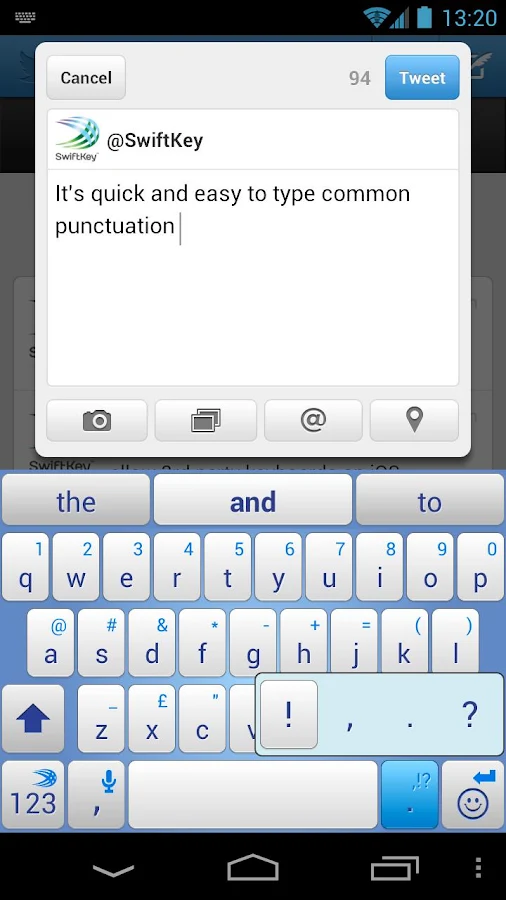
 SwiftKey Keyboard - screenshot
Download : 6.5Mb APK