Showing posts with label Tools. Show all posts

Friday, 17 January 2014

[root] Mobile ODIN Pro v4.00 APK

 
 [root] Mobile ODIN Pro play.google.com.mobileodin.pro
Just throw those firmware files on your (internal or external) SD card, start Mobile ODIN and flash away.

! Your device must be rooted to be able to use Mobile ODIN. Check the list below to see if your device is supported !

If you use the EverRoot option, Mobile ODIN will root the firmware while you flash it. Checking out that new leaked firmware? No reason to lose root!
Flashing with Mobile ODIN is easy. You start by starting the app and the app will check your system has everything it needs to continue (like root). It may need to download an additional package, so it is advised you have Wi-Fi available.

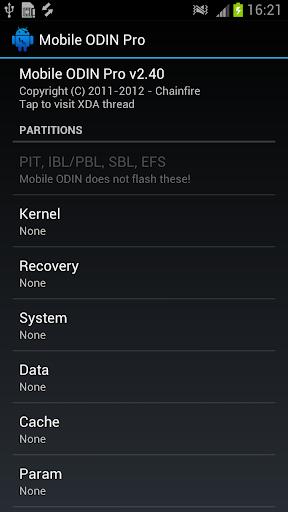
Now you should see the main Mobile ODIN screen. It will list a set of partitions. Clicking a partition will allow you to select a file from your SD card to flash to that partition. Do not worry about selecting the wrong file - Mobile ODIN will not let you. Separate files (named after the partition) as well as .tar and .tar.md5 files are supported.

From the desktop ODIN you may be used to "PDA", "PHONE", and "CSC" buttons. All three of these buttons have been replaced by the "Open file ..." button. This button will open the file you select from the SD card, and find all the partitions it can flash inside that file. So if you select a .tar file containing kernel and modem, the Kernel and Modem partitions will be set up to use that .tar file for flashing.

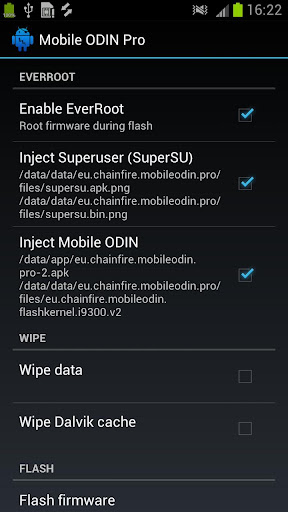
Now that we have selected what we want to flash, if you have the Pro version you can proceed to the EverRoot section. The EverRoot options allows you to root your firmware while it is being flashed. Never again will you be without root! Select here which apps you want to inject in the firmware that is being flashed.

Now that we are all done selecting partitions and configuring EverRoot, we continue to "Flash firmware". Mobile ODIN will gather all the information it needs and perform the flash. Before starting, however, it will check that your battery level is over 50%, and if applicable offer to verify MD5 checksums on the files you have selected to flash. If all is well, it will reboot into recovery mode, and flash the firmware you have selected.

Currently supported devices:
  • Samsung Galaxy S GT-I9000/B/M
  • Samsung Galaxy S GT-I9003/L
  • AT&T/Rogers Captivate SGH-I896/I897
  • Samsung Galaxy S2 GT-I9100/T/G/m
  • Samsung Galaxy S2 SHW-M250S/K
  • Samsung Galaxy S2 SC-02C
  • AT&T Galaxy S2 SGH-I777
  • Sprint/Virgin/Boost Epic 4G Touch SPH-D710/VMUB/BST
  • USCC Galaxy S2 SCH-R760
  • Samsung Galaxy S3 GT-I9300/T
  • Samsung Galaxy S3 GT-I9308
  • AT&T/Canadia Galaxy S3 SGH-I747/M
  • TMOUS Galaxy S3 SGH-T999
  • Sprint/C-Spire Galaxy S3 SPH/SCH-L710
  • VZW Galaxy S3 SCH-I535 (unlock bootloader !)
  • USCC/Cricket/MetroPCS Galaxy S3 SCH-R530/U/M/C
  • Samsung Galaxy S3 LTE SHV-E210S
  • Samsung Galaxy S3 LTE GT-I9305/T/N
  • Google Galaxy Nexus (GSM) Maguro/Yakju/GT-I9250
  • Google Galaxy Nexus (CDMA/LTE) Toro/Mysid/SCH-I515 (no cdma radio flashing)
  • Samsung Galaxy Note GT-N7000
  • Samsung Galaxy Note GT-I9220
  • Samsung Galaxy Note GT-N7000B
  • Samsung Galaxy Note 2 GT-N7100
  • Samsung Galaxy Note 2 LTE GT-N7105
  • AT&T/Canadia Galaxy Note 2 SGH-I317/M
  • TMOUS Galaxy Note 2 SGH-T889
  • Sprint Galaxy Note 2 SPH-L900
  • VZW Galaxy Note 2 SCH-I605 (unlock bootloader !)
  • USCC Galaxy Note 2 SCH-R950
  • Samsung Galaxy Note 10.1" GT-N8000 
  • Samsung Galaxy Note 10.1" Wi-Fi GT-N8010/N8013
  • Samsung Galaxy Tab 7" GT-P1000
  • Samsung Galaxy Tab 7.0 Plus GT-P6200/L, GT-P6210
  • Samsung Galaxy Tab 7.7" GT-P6800, GT-P6810
  • Samsung Galaxy Tab 10.1" GT-P7500, GT-P7510
  • Samsung Galaxy Tab 2 7" GT-P3100, GT-P3110, GT-P3113
  • Samsung Galaxy Tab 2 10" GT-P5100, GT-P5110, GT-P5113
  • Samsung Galaxy 5 GT-I5500/B/L/T/M
  • Samsung Galaxy 5 GT-I5503/T
  • Samsung Galaxy 5 GT-I5508
Flashing with Mobile ODIN does NOT increase your custom kernel flash counter or make the yellow warning triangle appear.

What's in this version: (Updated : Jan 16, 2014)
  • Updated: SuperSU v1.89
  • Updated: SD card path and filesystem resolution
  • Added: Option to boot to download mode after flash (for bootloader update)
  • Support for
    • Samsung Galaxy S4 LTE
    • International 4.4
    • Sprint 4.3
    • TMOUS 4.3
    • USCC 4.3
    • Canadia 4.3
    • Samsung Galaxy Note3 LTE
    • International 4.4
    • Sprint 4.3
    • TMOUS 4.3
    • SCC 4.3
    • Canadia 4.3
Required Android O/S : 2.2+

Screenshots :
 

Download : 2.5Mb APK

Thursday, 16 January 2014

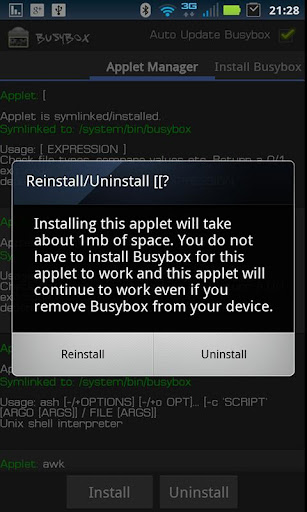
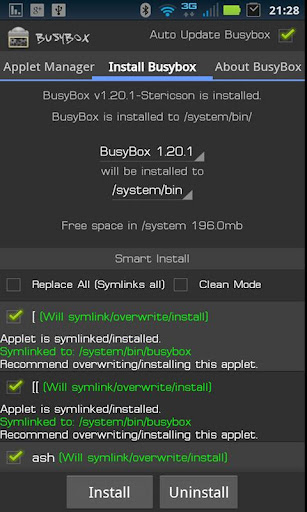
BusyBox Pro v10.7 APK

 
 BusyBox Pro play.google.com.busybox.donate
Over 2.2 million installs! Winner of best Utility Software award for Android via Handster. This is the ONLY Installer on the market that will allow you to remove Busybox (If supported on your phone), the only open sourced installer, and the only installer that is ad free!

A must have for any rooted phone! Almost EVERY rooted applications needs BusyBox to perform their magic, if you have a rooted phone then you need BusyBox.

Pro version contains no ads or nag screens, uninstall feature, custom tune feature, the ability to hand pick the applets you want, safety check for missing applets on start, and better overall support. The pro version will receive more frequent updates than the free version will.

This installer has the smallest Busybox binaries available, right around 700kb unlike the other installers which are over a meg. Also this installer does not require you to download anything extra like other installers do and thus works much faster.

Please note I did not write BusyBox! I wrote this installer, cross compiled BusyBox for Android. Please see the about menu option for more details or here: www.BusyBox.net

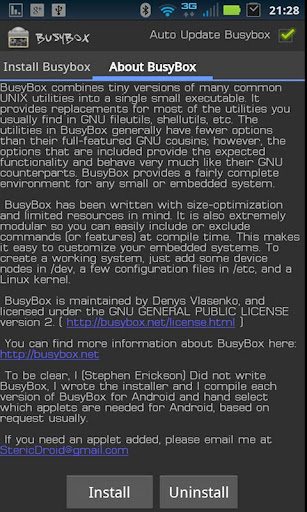
BusyBox is a software application that provides many standard Unix tools, much like the larger (but more capable) GNU Core Utilities. BusyBox is designed to be a small executable for use with the Linux kernel, which makes it ideal for use with embedded devices. It has been self-dubbed "The Swiss Army Knife of Embedded Linux".

This version includes 1.20.0, 1.19.4, 1.19.3, 1.19.2, and 1.18.5 no need to have more than that because it takes up space on your phone and each newer version will still contain the older features, unless I forgot to compile them in.

Leave this installed if you always want to get the latest version of busybox!

What's in this version : (Updated : Jan 14, 2014)
  • Added busybox 1.22.0!
Required Android O/S : 1.6+ ROOT

Screenshots :
 
 
Download : 3.2Mb APK

Wednesday, 15 January 2014

3G Manager - Battery saver v2.2.1 APK

 
 3G Manager - Battery saver play.google.com.ggovernor
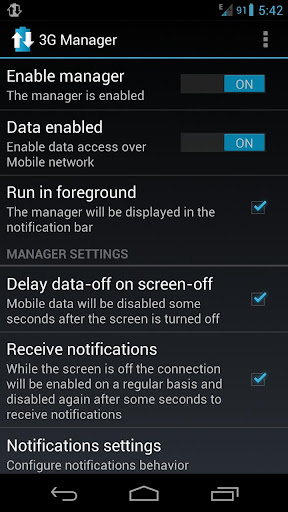
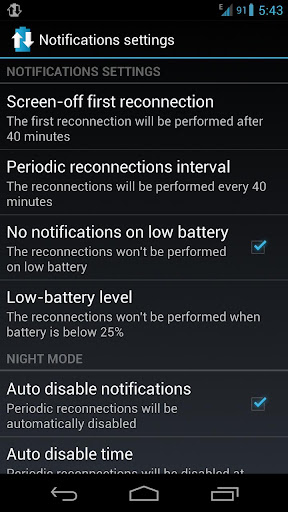
3G Manager allow you to save battery and avoid excessive Electromagnetic exposure by automatically disabling mobile data connection when you lock the screen.

The manager allow you to keep receiving notifications by automatically re-enabling the connection from time to time for some minutes to permit sync.

You can specify the reconnection interval and other settings.

Features:
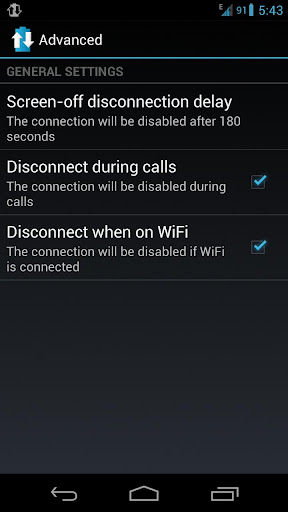
  • Automatically disable mobile data on screen-off
  • Automatically enable mobile data on screen unlock or screen on
  • Automatically disable mobile data when WiFi is connected (optional)
  • Delayed disconnection on screen off to allow rapid chatting
  • Periodic reconnection to allow notifications
  • Specify first reconnection time (before periodic reconnection)
  • The manager will be automatically paused while: on WiFi, charging, calling, on airplane mode, on Tethering/Hotspot mode and when mobile data are manually disabled
  • Automatically disable mobile data while calling (optional)
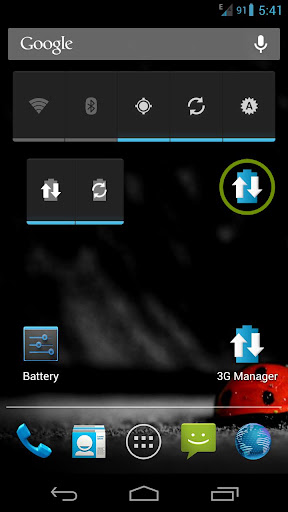
  • Manager on/off widget (1x1)
  • Manager on/off + periodic reconnections on/off widget (2x1)
  • Optionally disable sync on low battery (low-battery level configurable)
  • Run in foreground: always show app icon in the notification bar (optional)
  • Night mode: automatically enable/disable reconnections at specified times
Note: to maximize battery saving set higher re-connection interval or totally disable it (you will lose notification)

This application DOESN'T HAVE Internet access permission.
Network communication permission is only for mobile data switch and detection.

The app doesn't allow reconnection interval under 7 minutes since that will drain your battery more than keeping the connection always enabled.

If you notice that the phone doesn't always reconnect when you unlock the phone try disabling the option "wait for unlock" (if that option is off the manager will enable the connection when you turn the screen on)

If you can't see the widgets in launcher after installing the app please try rebooting your phone (Android bug).


What's in this version : (Updated :Jan 14, 2014)
  • 3G Manager now runs as a "foreground service" by default, so now is always visible in the notification menu. This option can be disabled but is very recommended to avoid missed reconnections and others sporadic issues, expecially for Android 4.4 Kitkat users due to some RAM management changes in the newest Android version.
  • [NEW] New "Don't stop music" option to avoid disconnections while music or podcast is playing, useful for Spotify and similar (disabled by default)
Required Android O/S : 2.3+

Screenshots :


Download : 232Kb APK

Tuesday, 14 January 2014

Memory Booster (Full Version) v5.9.2 APK

 
Memory Booster (Full Version) play.google.com.memorybooster.full
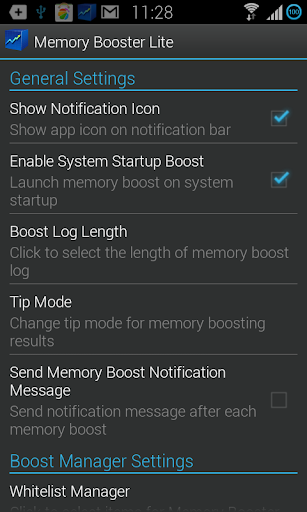
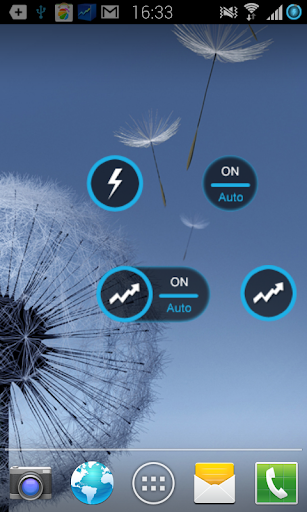
Memory Booster is a powerful mobile memory & RAM boosting tool specially designed for Android smartphone users. It is designed to tackle the difficult yet crucial problem of memory management for all Android devices.
Memory Booster reclaims lost memory for your programs by defragmenting your smartphone's memory and recovering memory leaks from poorly behaved applications.

Features:
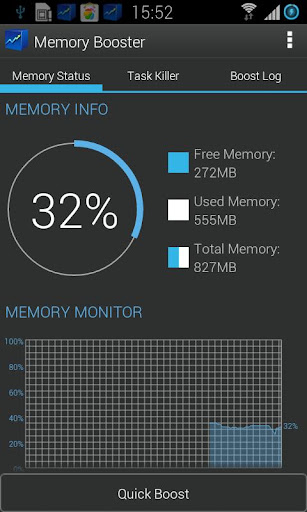
  • Real-time Memory Status Report & Monitor - Memory Booster provides a live chart to demonstrate your device's total/free memory and current memory usage.
  • Setting Your Performance Target - With Auto Boost Threshold set, Memory Booster keeps your memory higher than desired level, and act immediately if memory drops down.
  • One-click Quick Memory Boosting - Besides automatic memory boosting, Memory Booster also allows you to manually boost your memory by Quick Boost.
  • Auto-boosting in the Background - With Auto Boost Interval, Memory Booster runs in the background and automatically reclaims memory for your Android at interval.
  • Android system crash protection - Memory Booster always watches your system resources and cleans up system memory once it reaches a critical point.
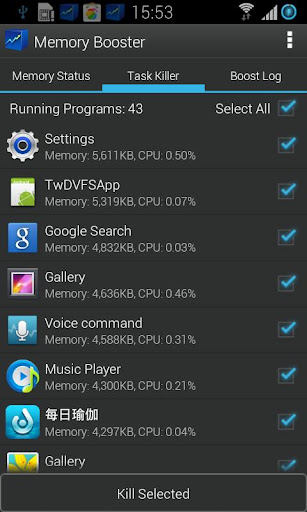
Other features include embedded Task Killer, Whitelist Manager, Boost Level Manager & Memory Boost Log, which assist Memory Booster to perform more efficiently and friendly.

What's in this version : (Updated : Jan 12, 2014)
  • Add quick boost via notification feature (available for OS 4.1 and above)
  • Fix negative value issue on Note III and some other devices
  • Optimize memory percentage on notification bar, for better view
  • Enhance White list
  • Other improvements and fixes
Required Android O/S : 1.6+

Screenshots :
 
 
Download : 815Kb APK

Monday, 13 January 2014

Smart Tools v1.6.4a APK

 
Smart Tools play.google.com.tools
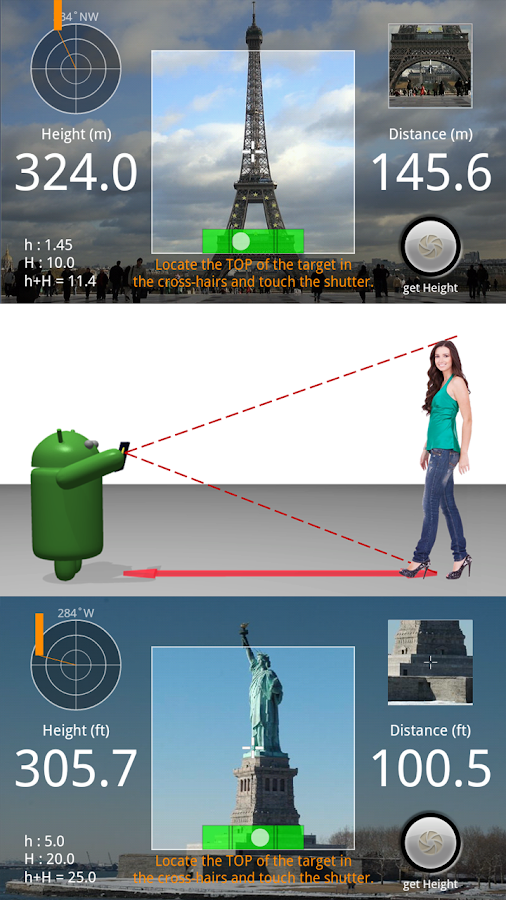
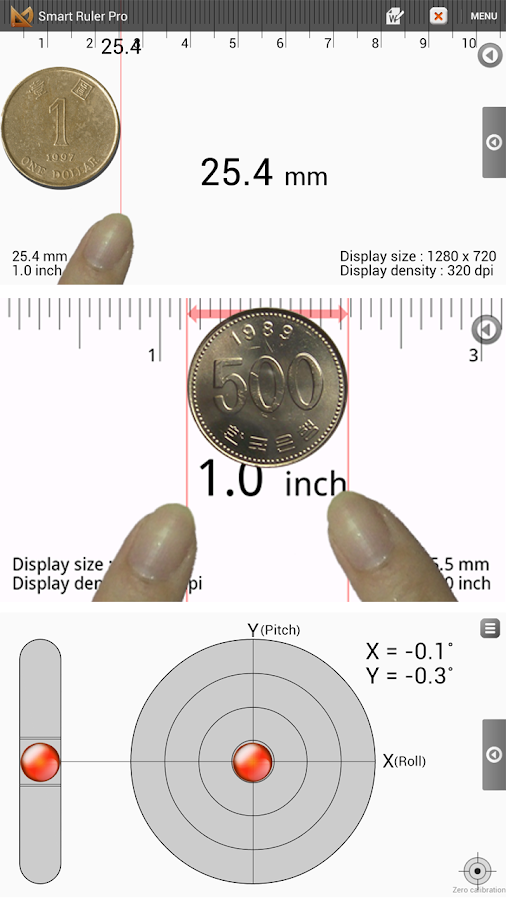
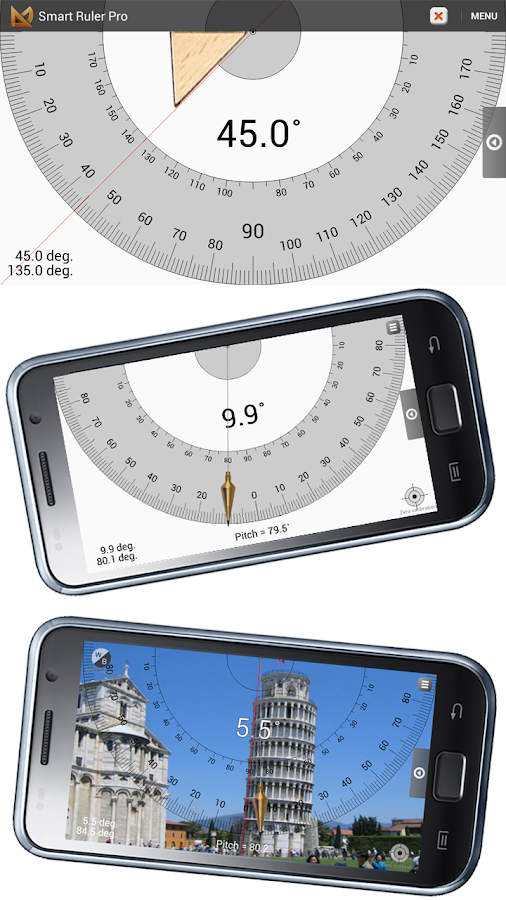
Measure length, angle, distance, height, direction and sound with your phone.
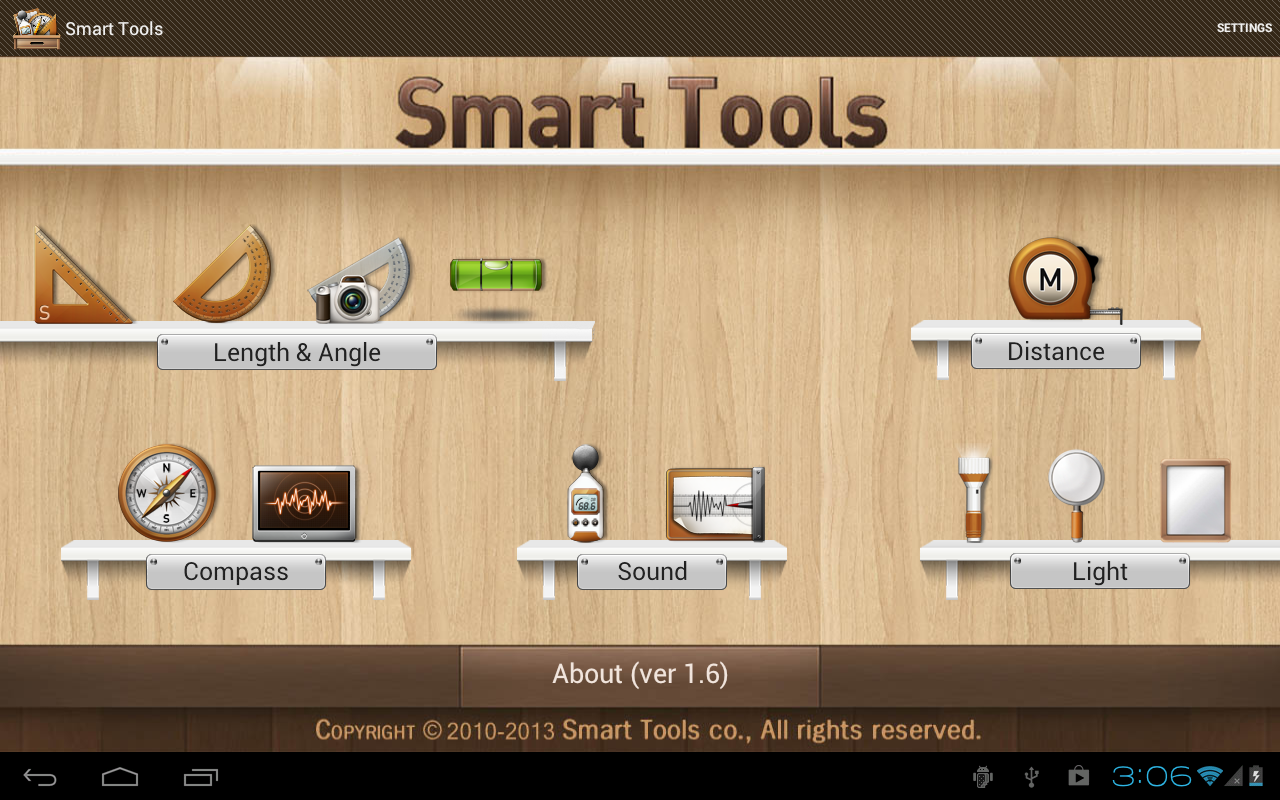
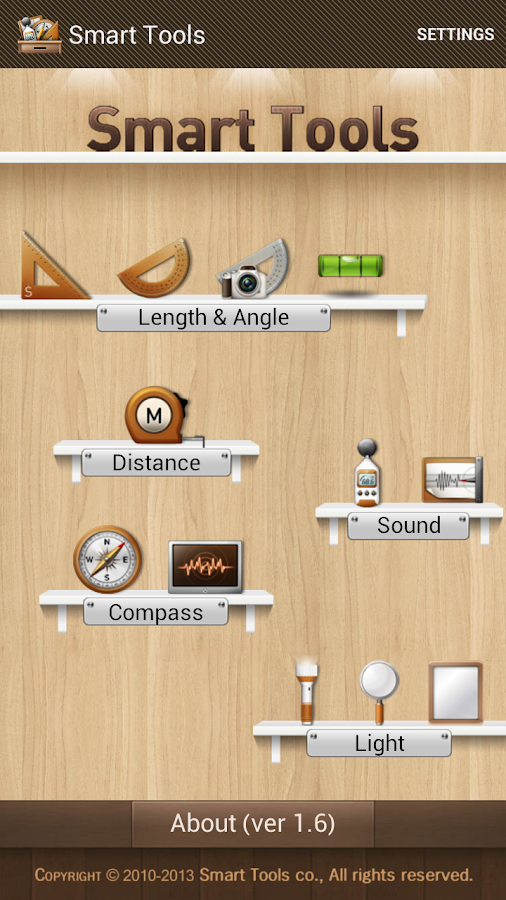
Smart Tools is a complete package of 5 app sets. It includes 5 Pro sets for a total of 15 tools. In a word, All-in-One.
  • Set 1: Length, Angle, Slope, Level - Smart Ruler Pro
  • Set 2: Distance, Height, Width, Area - Smart Measure Pro
  • Set 3: Compass, Metal detector, GPS - Smart Compass Pro
  • Set 4: Sound level meter, Vibrometer - Sound Meter Pro
  • Set 5: Flashlight - Smart Light Pro
What's in this version : (Updated : Jan 12, 2014)
  • More models calibrated (Galaxy Note 8.0, Tab3).
Required Android O/S : 2.1+

Screenshots :
Smart Tools - screenshot
Smart Tools - screenshot Smart Tools - screenshot

Download : 5.2Mb APK
 

Friday, 10 January 2014

RAM Manager Pro v6.0.4 APK

 
RAM Manager Pro play.google.com.RAMOptimization
This application optimizes the RAM of all android devices and gives you better performance. We tested and we're still testing the best RAM balance which makes your system as fast as possible. This application improves perfomance of your device in all directions.
ROOT IS REQUIRED!!!
Switching between applications is very fast, your system will be smoother then ever before. You can fully use your multitasking and you still have as much memory as you need.

Features:
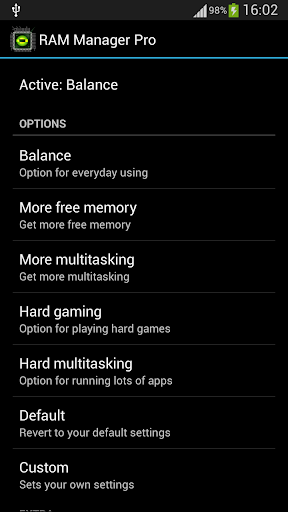
  • Balance - Option which makes your RAM to the best optimization, this option is for everyday using. Use this option when you want to have fast phone without lags.
  • Balance (More free memory) - This option is nearly the same as Balance, but this option should be advantageous for users who have more RAM than 512 MB. This option gives you more free memory but a bit reduces multitasking.
  • Balance (More multitasking) - This option is nearly the same as Balance, but this option should be advantageous for users who have less RAM than 512 MB. This option gives you more multitasking, but a bit reduces free memory.
  • Hard Gaming - Option which stabilizes your RAM for playing hardest games. Use this option for games which lag on your phone. Your games will run smooth without lags.
  • Hard Gaming (Less aggressive) - This option is similar to Hard Gaming but should be better for devices with RAM lesser than 512MB.
  • Hard Multitasking - Option for users which are really hard working on their phones. You can have a lot of running apps and quickly switch between them without lags.
  • Default (Samsung) - Default settings by Samsung, these settings are also used by LG, HTC, etc.
  • Default (Nexus S) - Default settings which are used by all Google devices.
  • Default - This option reverts your RAM to your default settings, which you had before you installed this app.
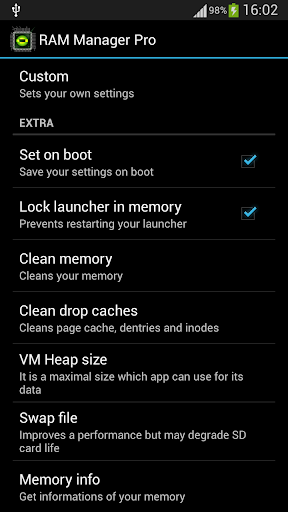
  • Lock launcher in memory
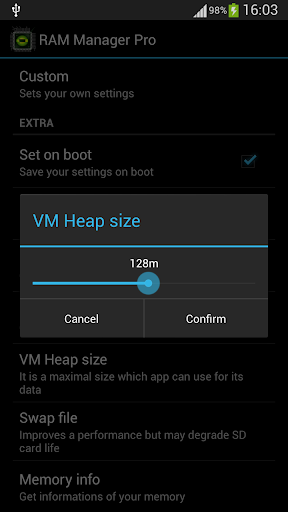
  • VM Heap size
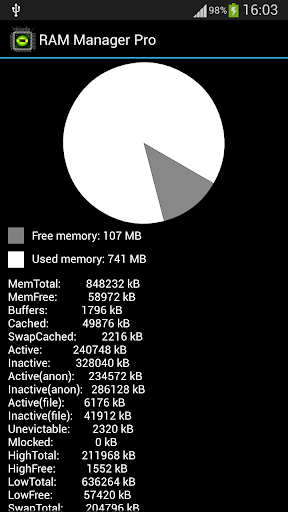
  • Memory info
  • Free memory meter
  • Charging limit (only works on some kernels)
  • Widget
  • Chosen option is automatically set on each reboot.
  • You can easily switch between all options without rebooting.
This application is the best solution for all who have problem with free memory, with multitasking, with slow swapping between applications or with slow performance of your device. I recommend to use this application to everybody who wants have better phone, because this application increases speed of your phone and other parameters which depend on RAM.

What's in this version : (Updated : Jan 10, 2014)
  • Increased maximal swap file value
  • Fixed minor bug
  • Added option to enable or disable Santa Claus
  • Reworked and improved whole algorithm for optimizing your memory
  • Swap file was increased to 512MB
  • Christmas edition includes Santa in the background
Required Android O/S : 2.1+

Screenshots :


Download : 250Kb APK
 

Thursday, 2 January 2014

NoBloat v1.3.4 APK

 
 NoBloat play.google.com.nobloat
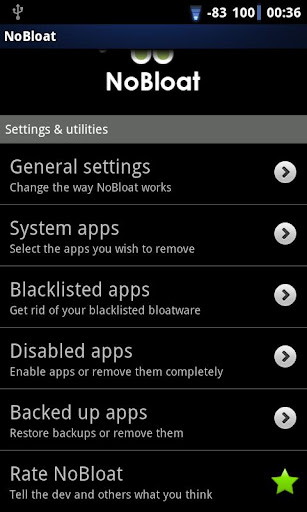
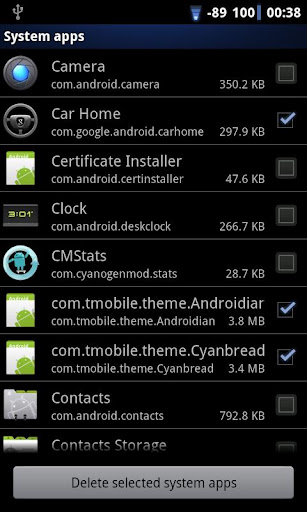
NoBloat lets you delete unwanted apps that come pre-installed with your phone. Simply select the bloatware that you want to get rid of and click delete. By default, NoBloat will automatically place backups on your external storage which you can restore at any time.
Remember, though: ALWAYS have a backup of your phone. Important features might break when deleting system apps.

ROOT & BUSYBOX REQUIRED !

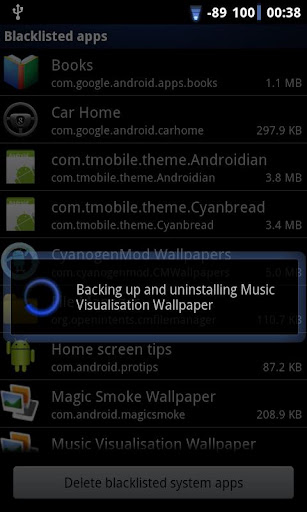
Using the blacklist in the full version, you can swiftly get rid of all bloatware after installing a new ROM. When wiping your phone's data, you can export your blacklist to import it on your new ROM.

You're advised to try the free version before buying. Not all ROMs allow NoBloat to work.

Features:
  • Disabling and enabling system apps 
  • Creating backups of system apps and restoring them 
  • Deleting system apps 
  • Creating a blacklist of system app to delete 
  • Batch operation to backup/remove all blacklisted system apps 
  • Batch operation to enable all disabled system apps 
  • Batch operation to restore all backups 
  • Export your settings and blacklist to external storage to import them later 
Notes:
In order to use NoBloat you need root access and busybox. If you do not know what root access means, you probably don't have it.
Be aware that in order to update your version of Android, you might need all original apps in place. It is advised to always have a backup of deleted apps or to just disable them so you can restore them later.

Disclaimer:
TVK Development cannot be held responsible for any damage you may cause.
Removing critical apps can cause your phone to malfunction. Be sure to ONLY delete apps you know for certain aren't needed.
Always have backups of your device's image.
If you have any questions regarding the safety of actions using NoBloat, you're advised to contact TVK Development beforehand. 
What's in this version: (Updated : Jan 2, 2014)
  • Fixed issue with backups for a few 4.4 ROMs.
Required Android O/S : 1.6+

Screenshots :


Download : 170kb APK

Easy Voice Recorder Pro v1.7.5 APK

 
Easy Voice Recorder Pro play.google.com.easyvoicerecorder.pro
Special promotional pricing in effect! Easy Voice Recorder Pro is a great audio & voice recorder that lets you capture important moments without getting in your way. Emphasis is placed on simplicity and ease of use, and with no time limits or ads!

Try before you buy: A free version is available here: https://play.google.com/store/apps/details?id=com.coffeebeanventures.easyvoicerecorder

Features:
  • No scary permissions -- does not call home nor send you spammy SMSes.
  • No time limits on recordings!
  • Resume recording any supported wave file in your file list.
  • Exclude your recordings from Android's media scan.
  • Change your audio input source.
  • Use a proximity sensor to turn off the screen, when something is in close proximity.
  • Change your recordings folder.
  • Supports AMR (.3gp), AAC (.mp4)*, and WAVE (.wav).
  • Record in the background, while you do other things.
  • Files are saved to "EasyVoiceRecorder" on your external storage and remain accessible even after uninstalling the app.
  • Supports a widget that can be added to your home screen. 
  • Playback, share, and delete your recordings.
  • Supports internal playback and external playback using the audio player(s) on your device.
  • Recovery of files in case the application was stopped.
  • Support forcing the screen on during recording.
  • Widget available in 2x1, 3x1, and 4x1 sizes; resizeable on Honeycomb and above.
  • Supports the Holo theme for Ice Cream Sandwich.
AAC (.mp4) support on Gingerbread 2.3.3 and higher only.

Formats"
Easy Voice Recorder Pro supports the following formats:

AMR (.3gp) for space saving.
❋ Most space-efficent format; record hundreds of hours on your phone.

AAC (.mp4) for good quality and reasonable space usage.
❋ Available on Gingerbread 2.3.3 and later.
❋ Select from low, medium, and high quality.

WAVE (.wav) for uncompromised quality.
❋ Record from voice quality to CD quality (44.1Khz), and in 8 or 16-bit sampling.
❋ Downmixing done via software linear interpolation for maximum compatibility across all devices.
❋ Pause & resume.
❋ Auto-recovery of unfinished wavefiles if the application was unexpectedly terminated.
❋ Click reduction on start/end (some noise can still occur from the noise of tapping the phone).

What's in this version : (Updated : Jan 1, 2014)
  • Sync translations (Vietnamese was also added as a new language in 1.7.4).
  • (pro) Improved detection of external SD cards.
  • (pro) Removed restriction on navigating up from the folder selection dialog (allows selecting SD cards when auto-detection fails).
Required Android O/S : 2.2+

Screenshots :
Easy Voice Recorder Pro v1.7.4 APKEasy Voice Recorder Pro v1.7.4 APK

Download : 1.5Mb APK
 

Mobile Counter Pro - 3G, WIFI v3.3.5 APK

 
 Mobile Counter Pro - 3G, WIFI play.google.com.mobileCounterPro
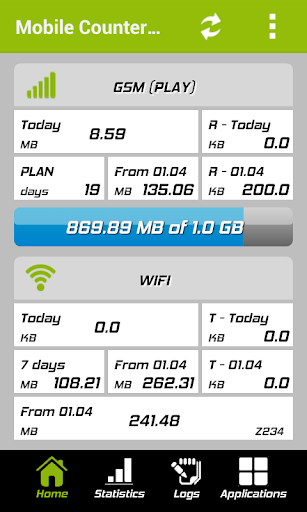
Mobile Counter(3G, WiFi, network traffic) - application to count network data GSM/CDMA/WIFI
Languages support: English, German, Slovak, Polish, Chinese, Romanian, French, Italian, Portuguese, Russian, Czech

Calculation types:
  • Standard counting(default)
  • Enable/Disable rounding in blocks (e.g to 100KB for session)
  • Enable/Disable separately round outgoing and incoming transfer to block of data
  • Disable couting outgoing(sent) transfer
Similar application to 3G watchdog, netCounter, netTraffic, network traffic,

Application without ADS and for free. Extended functionality has been added for users who donate application.

You decide how worth/useful this application is for you, so you can donate with value you want New  functionality for users who donate application:

Features:
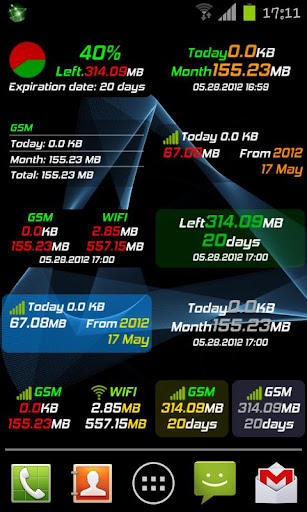
  • More widgets 2X1(WIFI, transfer limits, billing period)
  • More widgets 1X1(GSM, WIFI, transfer limits, billing period)
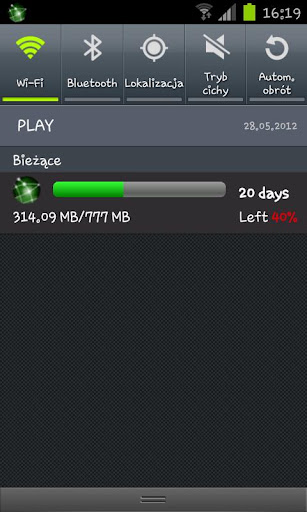
  • New styles for notification bar (limit transfer, mobile GSM/CDMA, billing period)
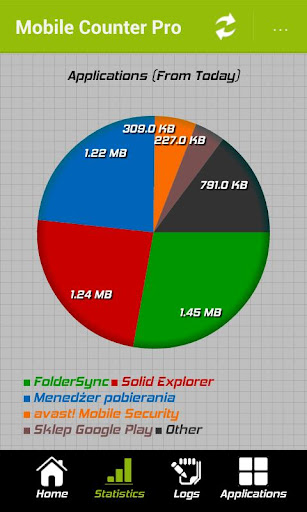
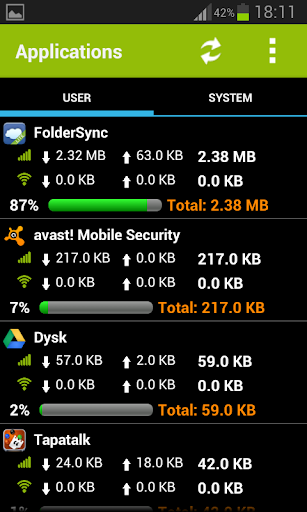
  • Transfer used by application (req. android>2.1)
  • Export/Import data to SD card
  • Billing period calculation
  • Option to not counting sent transfer
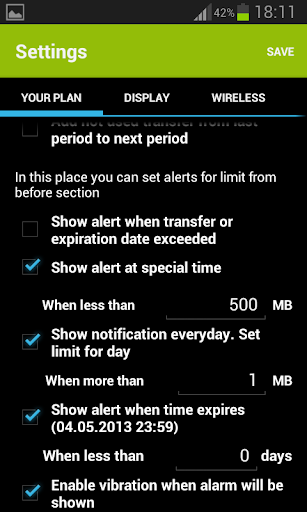
  • Option to set alerts when transfer limit less than ... (in MB) will expire in ... (days)
  • Option to enable vibration when transfer limit will be exceeded
  • Option to set first day in week (Saturday, Sunday, Monday)
  • Show application icon in notification only when enable GSM/CDMA/WIFI
  • Set expiration period in days, weeks, months
  • Option to count separately transfer for one WIFI SSID e.g to count hotspot traffic
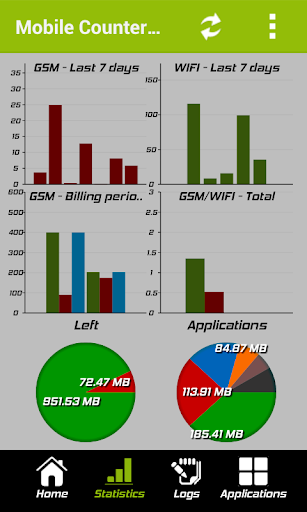
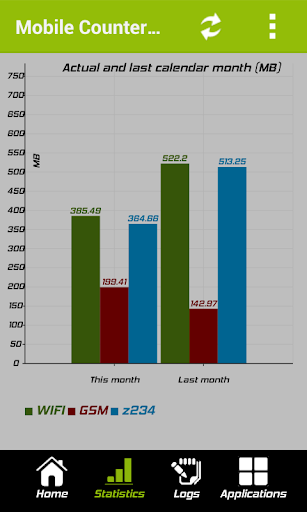
  • New statistics (for billing period, WIFI SSID)
  • Option to add not used transfer from last period to next
What's in this version : (Updated : Jan 1, 2014)
  • bug notification layout on android > 4.0
  • fixed counting error which occurd on some devices
Required Android O/S : 2.3+

Screenshots :


Download : 1.4Mb APK